


- Home
- Companies
- isoTracker Solutions Ltd.
- Articles
- 5 Steps for Effective Version Control
5 Steps for Effective Version Control
Version control is an often-overlooked aspect of overall document management. It ensures changes to vital documents are stored and saved in a central repository, so everyone has access to the latest, correct version.
Some organizations don’t approach version control with consistency and structure. They simply rename each version using numbers or dates or simply hit the save button and send the document to whoever is next in the review chain.
Moving over to a cloud-based and centralized system means that everyone works on the same document when making changes or edits and the latest version is always available to the relevant people.

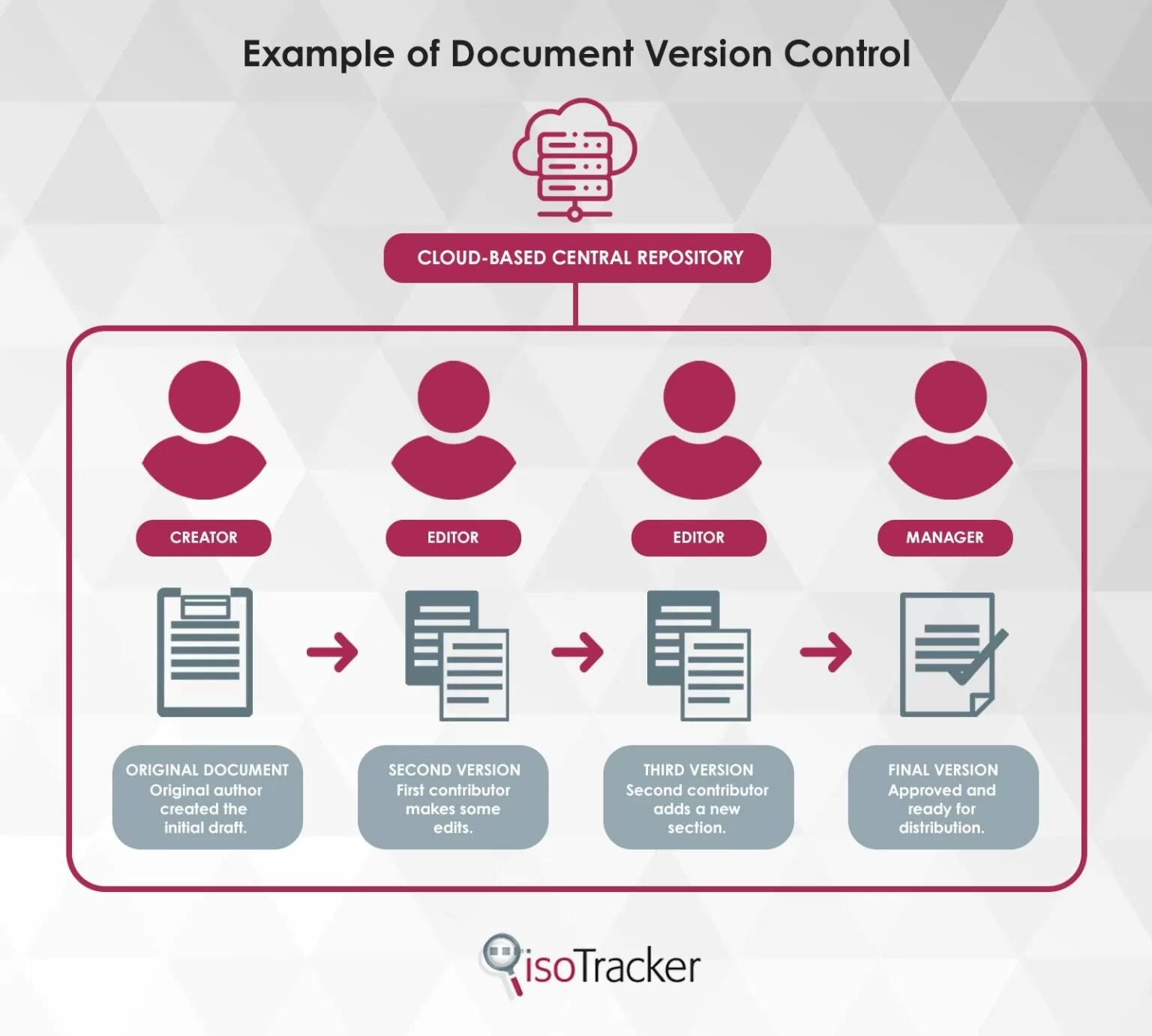
Whether you’re doing document control manually or digitally, you should adhere to these best practices to avoid the potential confusion and errors associated with disorganized version control.
1. Every single file and document should be version controlled.
An ‘all or nothing’ approach is best for document version control – you can’t use this feature on some documents, and not on others. Controlling versions creates more order and security, but it only works if you are consistent.
This is also why automated programs help, because they streamline the process. Rather than manually tracking document history, you can track changes from a central dashboard.
This ensures all organizational documents are the correct and most recent version whether they pertain to projects, office procedures, policies, internal paperwork or contracts.
2. Stick to a logical structure and file naming procedure.
There should be rules in place about how documents are labelled. Create a sensible naming convention that makes sense for your organization and implement it across the board for all documentation.
This is another way that an automated system will help but if you are doing things manually, agree on a logical numbered naming structure and ensure that this is followed with every single document to prevent confusion.
File storage will become much simpler, there will be less chance of earlier versions being accidentally accessed and everyone will be on the same page when editing, creating or modifying documents.
3. Update documents consistently, in relevant batches.
When a document is updated, ensure all related documents are updated at the same time if necessary. For example, if office protocols are due to be revised, make sure that all files relating to these protocols are revised simultaneously.
Revisions that belong in groups should be updated in groups rather than having a few lines changed at different stages of the revision process. This keeps the revision history uncluttered and makes changes easier to track.
Automated version control tools make this job a lot easier but you should still be consistent and logical when updating batches of data.
4. Include helpful feedback and notes.
Most revision management tools will allow you to add comments when revisions have been made. These notes are very useful to let others know what has been changed and why.
For example, you might add a message to let senior management know that a certain employee’s contract is due for renewal. Or a procedure may have become outdated when the workflow process changed.
By including clear, easy to understand notes with every revision everyone can stay on track of versions easily.
5. Remember to set notifications on revisions.
Once changes are made and comments have been added, those with access to the document will need to be notified. This is usually done automatically with document management software, but you can also do it manually via email.
These notifications don’t just inform users of updates – they also encourage the relevant contributors to read messages relating to the updates and to hopefully add their own.
Document management and version control go hand-in-hand. All organizations should consider a cloud-based quality management software system that includes document control functionality.
A good document management system will have built-in automated features that help you manage versions. At isoTracker, we offer a modular quality management software system that includes document management.
Sign up for a free 60-day full access trial and see how having a centralized document control system can help your organization ensure effective version control.