


DGMR Software B.V. news
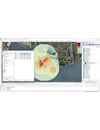
iNoise, the intuitive and quality assured software for noise calculations in the environment, is now available as Version 2026 which includes a wide range of powerful enhancements:
- More functionality for calculating maximum and worst case conditions (Li and LA;max parameters)
- Cylindrical object and support of reflection in cylindrical surfaces in ISO 9613
- CNOSSOS floating buildings eases modelling of the impact of bridges
- CNOSSOS Health Impact

DGMR Software will be exhibiting at the Institute of Acoustics “Acoustics 2025” conference in Milton Keynes, UK. The conference takes place on 19th to 21st October. We are exhibiting as part of the DMdB booth. The focus of our exhibition booth will be on iNoise. We invite you to come and visit us to learn about the latest developments and get your questions answered. If you are attending, we look forward to meeting

DGMR Software will be exhibiting at Internoise 2025 in Sao Paulo, Brazil. The conference takes place from August 24th to 27th. Internoise is organized on behalf of the International Insitute of Noise Control Engineers and the foremost annual international noise control event. We are exhibiting as part of the booth of our local reseller, 3R Brasil. The focus of our exhibition booth will be on iNoise. We invite you to come and visit us to learn about the latest developments and get your questio

DGMR Software are proud to announce the release of our iNoise Cloud Calculation Service, iCCS, an add-on product for iNoise, an intuitive and quality assured software for calculating noise in the environment. iCCS provides fully automated cloud calculation, providing you with flexibility, and fast and secure calculations without any investment in hardware or IT. During cloud calculations with the iNoise Cloud Calculation Service, you can continue to fully use iNoise and your local comput

The recently published 2024 edition of the ISO 9613-2 noise calculation method is now available in iNoise. Implemented in iNoise 2024.2 which is just released, the new edition of ISO 9613-2 includes a number of changes and modifications enabling more accurate modeling of wind turbine noise than previously.
iNoise 2024.2 also now can show the results from an entire wind farm per receiver per wind speed class, has a new option for presenting the minimum and maximum noise levels for

The ADIF CNOSSOS train database for Spain is available for use in iNoise V2024. This enables users to make noise models in full compliance with the current Spanish national implementation of the EU Environmental Noise Directive 2002/49/EC.
It is based on the revised ADIF guide from November 2023 “Guía para la aplicación del método CNOSSOS-EU en la modelización del ruido producido por las circulaciones ferroviarias en las infraestructuras de ADIF y ADIF
The CNOSSOS-EU method is the mandatory calculation method for all Member States in Europe for making strategic noise maps as defined in the European Noise Directive. Also, outside Europe this method is gaining interest as, compared to ISO 9613 and many other national methods, CNOSSOS is far more advanced, for example, supporting favorable and homogenous meteorological conditions. The CNOSSOS method also defines an open source model for roads and railways which means that you or a national aut
Friday 14th of December 2018 we have released iNoise 2019. All users with an iNoise Pro and iNoise Enterprise license will receive a new license to use V2019. Users of iNoise Free can register for a new license allowing them to use iNoise V2019 Free until 1-1-2020. To register iNoise V2019 Free click here.
New options include 350 i
NoiseAtWork V2019 is by far the easiest tool available on the market today for creating interpolated contour maps based on any type of measurement, such as Noise in dB(A), Temperature in ˚C, Humidity in % or Gas concentration in ppm. Simply read in any CAD, PDF or scanned image map and enter your data points by clicking on the map at the locations where you have done your measurements. You will be amazed how simple it is!
New options in the V2019 release include addition