- Home
- Companies
- HC Information Resources Inc.
- Applications
HC Information Resources Inc. applications

When setting up a water management plan (WMP) in LAMPS, simply selecting “Hospital/Surgery Center/Clinic” or “Nursing Home” from a dropdown menu gives you policies and procedures specific to your facility type. You can then customize the content per your facility’s water systems and your preferences.
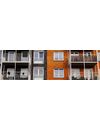
When setting up a water management plan (WMP) in LAMPS, simply selecting “Apartment/Condo” from a drop-down menu gives you policies and procedures specific to residential multi-family properties. You can then customize the content per your facility’s water systems and your preferences.
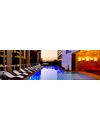
When setting up a water management plan (WMP) in LAMPS, simply selecting “Hotel” from a dropdown menu gives you policies and procedures specific to hotel, resort, and casino properties. You can then customize the content per your facility’s water systems and your preferences.

When setting up a water management plan (WMP) in LAMPS, simply selecting “Industrial” from a dropdown menu gives you policies and procedures specific to industrial facilities. You can then customize the content per your facility’s water systems and your preferences.
When setting up a water management plan (WMP) in LAMPS, simply selecting “Office/Commercial/Retail” from a dropdown menu gives you policies and procedures specific to commercial facilities. You can then customize the content per your facility’s water systems and your preferences.

When setting up a water management plan (WMP) in LAMPS, simply selecting “School/University” from a dropdown menu gives you policies and procedures specific to school buildings and college campuses. You can then customize the content per your facility’s water systems and your preferences.