


M-Tech Software Inc. software
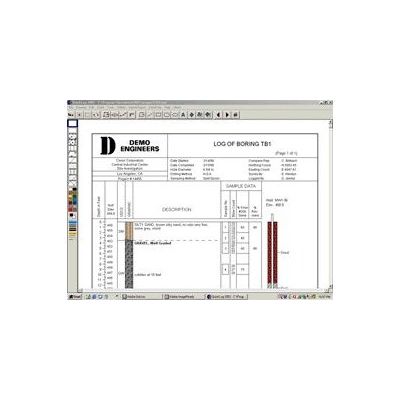
QuickLog - Header/Footer Setup Software
The first step in using QuickLog is to create the format for a template log. In the layout editor, you choose your paper size (8.5 x 11 or 11 x 17 portrait or landscape) and then "drag and drop" the elements for your header and footer:
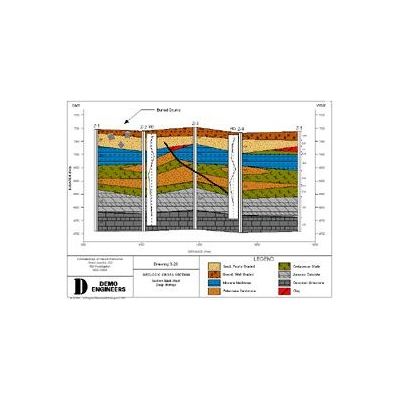
QuickCross and QuickFence - Geological Layer Data Modules Software
The data from QuickLog is easily imported into QuickCross and QuickFence. With a click of a button, you add borings to your cross section or fence list. You can also create cross sections or fence diagrams without using QuickLog by entering the geologic layer data directly into the editor. Below is the cross section data for 4 borings:
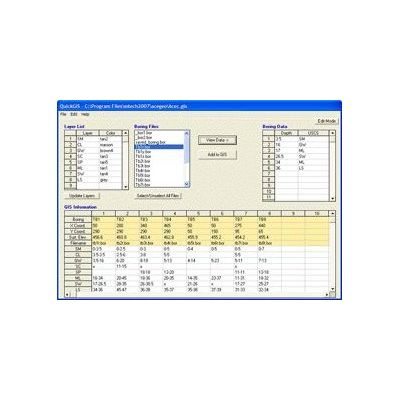
QuickGIS/QuickSoil - Geological Layer Data Software
In the QuickGIS editor, you open each boring file and then place its geological layer data into a table of X, Y, Z coordinates. Once in this format, QuickGIS can export the data to a variety of modelling programs. This two step process is necessary because human interpretation of the layers is almost always needed.
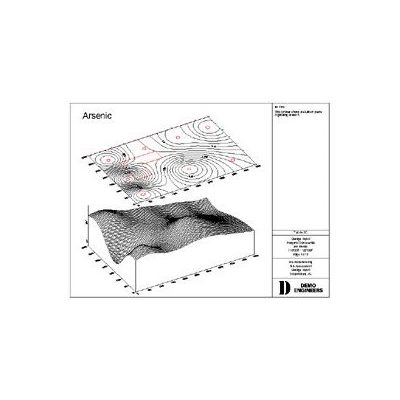
GW Assist ChemGraph - Groundwater Assist Extracts Pertinent Groundwater Data Software
Groundwater Assist extracts pertinent groundwater data from raw lab data files and adds it to historical data in Excel tables or other types of databases. Thus, each time you sample, you avoid tedious data entry. ChemGraph is an Access database and report writer. It enables you to quickly produce groundwater tables, graphs, and maps. The goal of Groundwater Assist is simple -- let users avoid the tedious data entry of laboratory data. The process works as follows: get the electronic data file from the lab, click one button, the data is added to your existing Excel or ChemGraph tables. If you are using Excel, your tables are ready to print. If you are using ChemGraph, you are ready to print specialized environmental reports: