

The Shared Logic Group, Inc. software
RIMAS MMC
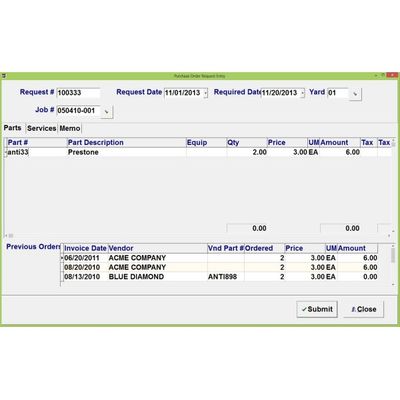
RIMAS - Model MMC - Maintenance Purchase Orders
The Purchase Invoice Entry program (seen left), is used after a Purchase Invoice has been entered and received for parts associated with maintaining equipment. The Account and Invoice Numbers are cross-referenced with the RIMAS™ NT/P Accounts Payable module to prevent duplicate records. Posting Maintenance Purchase Invoices creates AP transactions in RIMAS™ NT/P. This ability to interface directly back into RIMAS™ NT/P accounting modules elevates RIMAS™ MMC above other equipment management systems.
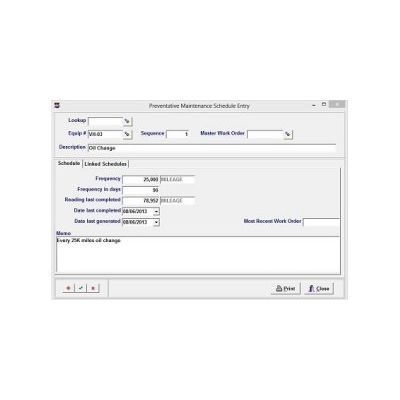
RIMAS - Model MMC - Preventative Maintenance Software
The Schedule Entry program (shown left), is used to schedule routine preventative maintenance procedures for equipment. The Schedule can be printed, as well as an Overdue Register for procedures that have passed their scheduled time based on usage or date. Work Orders are system-generated for Overdue Preventative Maintenance procedures. A forecasted work schedule is created, based upon the amount of usage or lapsed time entered for a piece of equipment in the Usage Entry program.
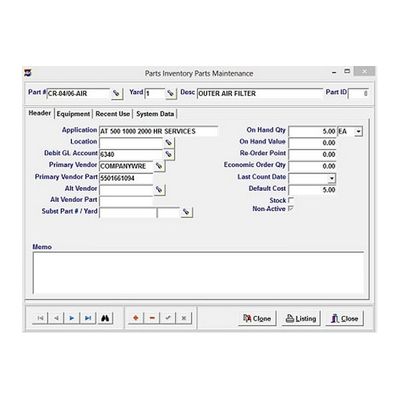
RIMAS - Model MMC - Parts Inventory Software
The Physical Count Entry program (shown right), can be accessed in two forms. The main entry screen is accessed using the MMC main menu, and the hand-held program is designed to work on a 240x320 resolution mobile device. Both programs, when posted, update the Physical Count on-hand of each part. Part Codes are set up within the MMC maintenance programs. The flexibility of conducting a stationary or mobile physical count of inventory is unique to the RIMAS MMC system and distinguishes it from other stationary systems.
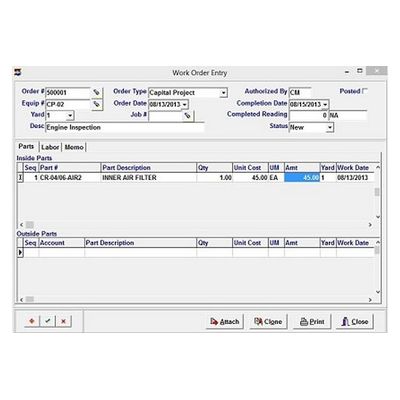
RIMAS NT/P - Model MMC - Automatically Work Orders Generated for Maintenance Procedures
Work Orders are automatically generated for maintenance procedures and can also be manually entered in Work Order Entry. The Work Order form is customizable and can be printed or e-mailed. Both inside and outside parts and labor can be accounted for on the Work Order form, meaning both on-hand and out-sourced materials and labor can be used. Work Orders can be created by cloning an existing Order, reducing data entry time. Posting Work Orders updates the Physical Inventory count.