ImpulseRadar Sweden AB
ViewR and ViewPoint update
Oct. 1, 2025
Courtesy ofImpulseRadar Sweden AB
Stay updated and download latest versions of ViewPoint App and ViewR software.
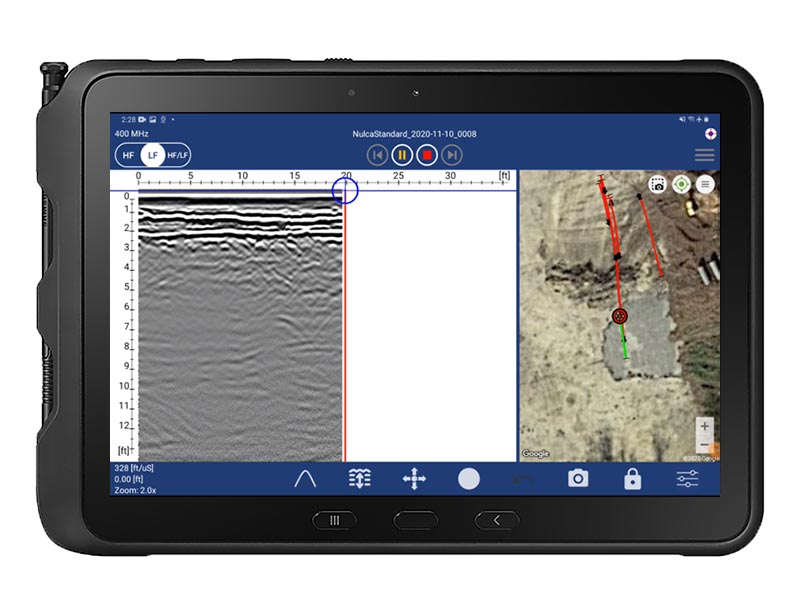
ViewPoint 1.4.12 – Release Notes
New features
Minor features
- Application target has been updated to Android 15.
- The example data project has been updated.
- The ImpulseRadar logo has been updated.
Bug fixes
- The depth values of the markers in imperial unit have been corrected across the app, on the map view, the PDF report and the KMZ archive.
- The visibility of the trigger settings has been fixed when in advanced settings mode.
- The broadcasting of the markers’s screenshot has been fixed.
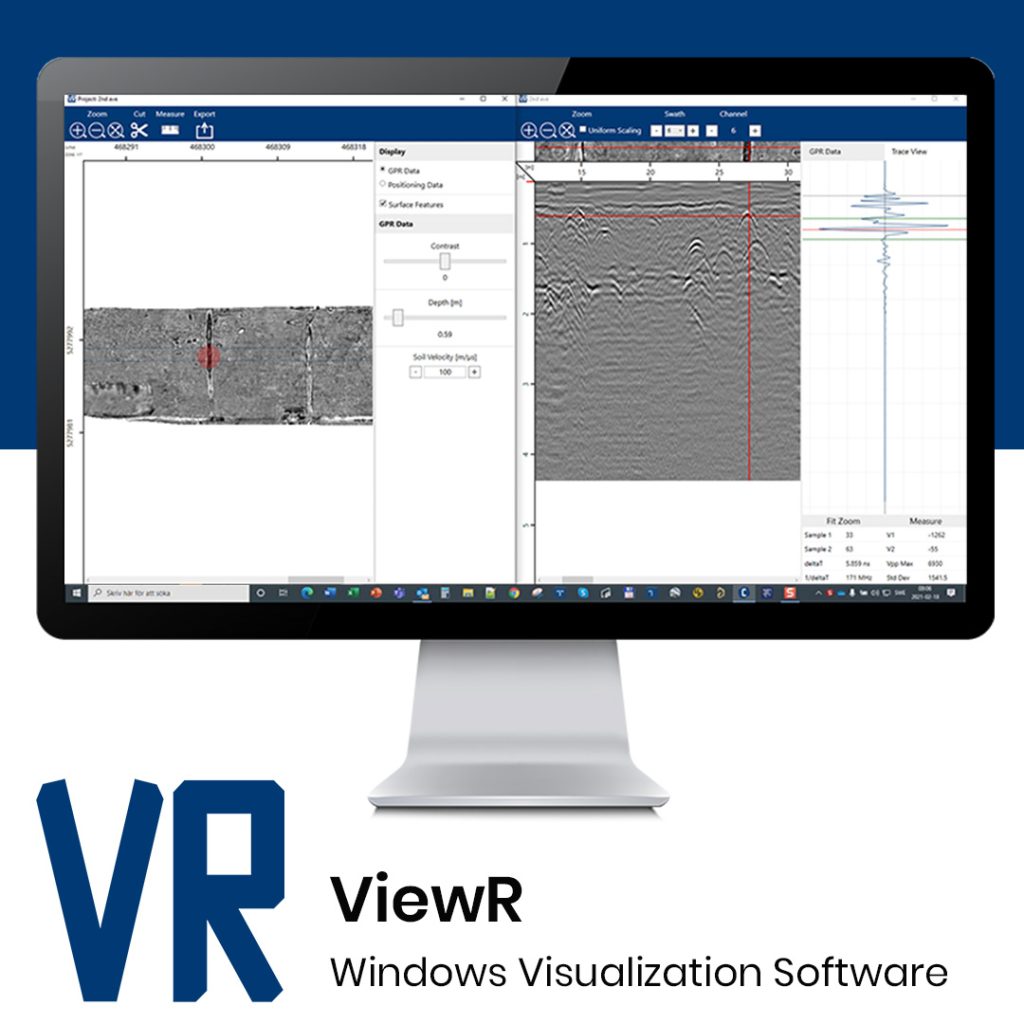
ViewR 1.5.0 – Release Notes
This release especially targets the Radargram View in ViewR. It is a major upgrade with improved performance, new functionality, and a refined UI, all designed to provide the best possible quality control and comparison of radar data in the most user-friendly way.
Highlights
- Major Radargram Viewer upgrade – Faster, smarter, and more user-friendly.
- Length-independent performance – Load swaths instantly, no matter the size.
- Multi-channel & multi-project support – Compare data from different channels and projects side by side.
- Full ImpulseRadar product support – Compatible with all current ImpulseRadar systems and formats.
New Features & Improvements
Radargram Viewer
- Faster processing – Swaths load significantly quicker.
- Length-independent performance – A smarter buffer ensures identical loading times whether the swath is 100 m or 100,000 m.
- Instant filtering – Filters are applied instantly, regardless of swath length.
- Extended format support – Now fully compatible with PinPointR, CrossOver, PLT, and RQT data.
- Full ImpulseRadar support – Works seamlessly with all current ImpulseRadar products.
- Channel toggle buttons – Switch between HF, LF, or HF+LF with dedicated buttons.
- Multi-channel support – Display all channels in a swath side by side.
- Multi-project support – Open multiple projects at once, even from different systems (e.g., Raptor45 and PinPoint in the same window).
- Synchronized filters – Filters are applied consistently across all opened projects.
- Cursor, Selection & Zoom
- Move cursor – Double-click or use Ctrl + mouse move.
- Hide cursors – Press Esc.
- Rectangle selection – Select an area to:
- Plot the average trace (shown in red) in TraceView.
- Plot the average spectrum (shown in red) in SpectraView.
- Zoom – Hold Ctrl + mouse wheel to zoom in and out.
Header View
- New Header View accessible via the icon in the bottom toolbar.
- Displays metadata for the selected channel (currently displayed channel or the one under the cursor).
Trace View
- Improved UI with a more intuitive way to measure plotted traces.
Status Toolbar
- Now displays depth in samples, time, meters, and feet.
Views & Layout
- TraceView, SpectraView, HeaderView, and FilterView are now independent controllers.
- All can be opened simultaneously.
- ViewR remembers which were open and restores them at startup.
Project Management
- Radargram View now tracks the last 10 opened projects for quick access.
Swath & Channel Navigation
- Quickly switch
Most popular related searches