- Home
- Companies
- Waterloo Hydrogeologic, PART OF NOVA ...
- News
- Visual MODFLOW Flex 11.0 Product ...
Visual MODFLOW Flex 11.0 Product Release
Visual MODFLOW Flex – Integrated Conceptual & Numerical Groundwater Modeling Software
On June 4, 2025 we released Visual MODFLOW Flex 11.0, the latest version of our industry-leading graphical user interface that brings together industry-standard codes for groundwater flow and contaminant transport, essential analysis and calibration tools, and stunning 3D visualization capabilities in a single environment. The conceptual model approach which is unique to Visual MODFLOW Flex in groundwater modeling user interfaces allows you to:
- Build a conceptual model of the groundwater system, prior to the simulation – Geologic formation structures, hydrogeologic properties, and boundary conditions are all designed outside the model grid or mesh; this allows the flexibility to adjust your interpretation of the groundwater system before applying a discretization method and converting to a numerical model.
- Build the model with minimal data pre-processing required – Working with grid-independent data allows you to maximize the use of your existing GIS data and incorporate physical geology and geographic conditions before designing a grid or mesh.
- Generate and simulate regional and local-scaled models – With support for unstructured Voronoi and Quadtree grids and local grid refinement (LGR), you can design localized/refined grids around areas of interest, directly within the conceptual model environment. With the ability to easily extract subgrids, calculated heads from a regional model can also be used as boundary conditions for local-scaled models.
- Design the correct model faster – The grid-independent raw data is left intact and is not defined by grid cells or mesh elements when modifying the data and project objective. This allows you to generate multiple numerical models from the same conceptual model.
- Make changes to the model data and immediately see results – The conceptual model environment provides simultaneous 2D and 3D views which are updated whenever changes to the data are made.
Visual MODFLOW Flex Improvements
Version 11.0 of Visual MODFLOW Flex includes the following improvements:
Model and grid import
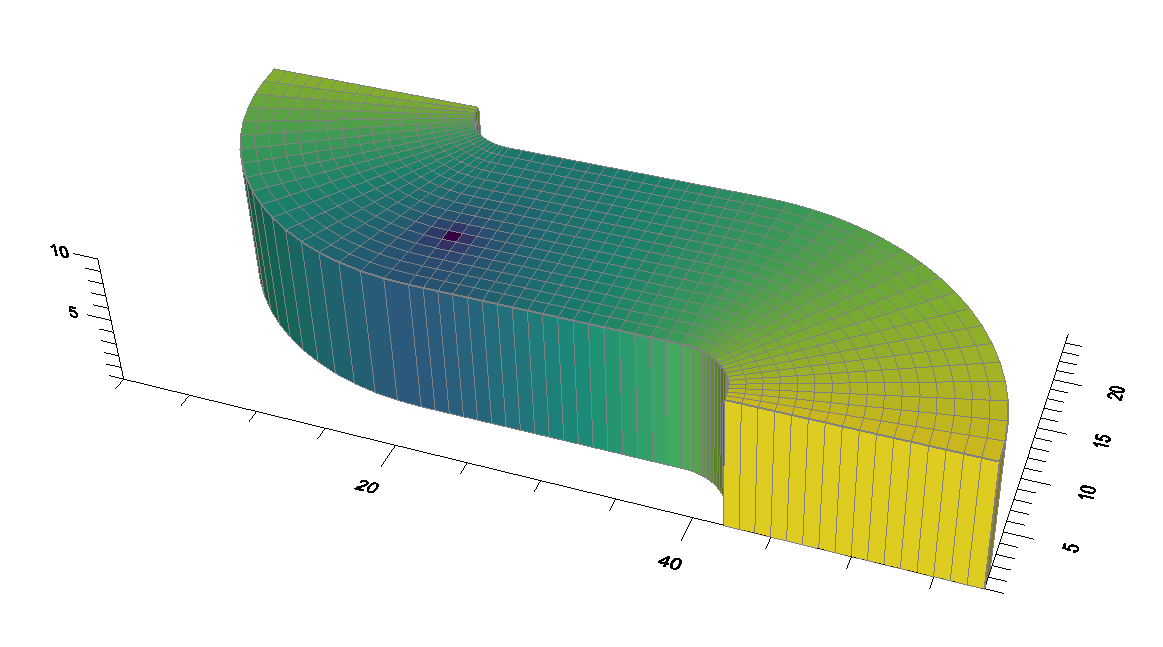
Importing models has been massively overhauled in Visual MODFLOW Flex 11.0. Model import now uses a new, proprietary Python library based on FloPy, significantly improving flexibility and stability when importing external models.
- MODFLOW-6 models can now be imported
- SEAWAT models may now be imported
- Model grids in the DIS and DISV format can now be imported separate from other model elements
- Flow properties (such as hydraulic conductivity and storage) in LPF, NPF, and UPW formats can now be imported independent of the model import step
- Flow property package settings can be brought in during import
- Most common boundary conditions (CHD, RIV, GHB, DRN, RCH, and EVT) can now be imported independently
- Solver settings (IMS, PCG, GMG, SIP, WHS, SAMG) may now be imported
- Output control settings may now be imported
Working with unstructured grids
Unstructured grids can now be imported into Visual MODFLOW Flex and unstructured grids can now be created outside of the conceptual modeling workflow.
- Unstructured MODFLOW-6 models using DISV grids may now be imported
- DISV unstructured grids may now be imported independently
- Unstructured grids (Voronoi, quadtree) may now be created directly in the numerical modeling workflow
- 3D unstructured gridded data (such as heads or concentration results) may now be imported
- 3D unstructured gridded data can be used to set model properties such as initial heads and initial concentrations
TIN surfaces
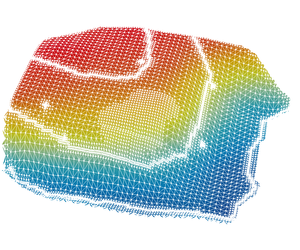
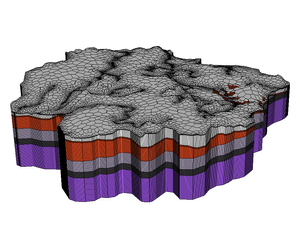
Triangular irregular network (TIN) surfaces can now be used with your Visual MODFLOW Flex projects. The following functionalities are now supported:
- Import TINs from point shapefiles (.shp) and from Triangle .node or .ele files
- Generate TINs from existing point data objects, using linear or kriging interpolation schemes
- Generate TINs from model layers
- Use TINs to define model horizons
- Use TINs in the expression builder of other data objects
- Use TINs to define boundary condition parameters and model properties in the numerical modeling workflow
Performance, Usability, and other Enhancements
Visual MODFLOW Flex includes the following improvements for working with your models:
Usability:
- Objects in the data tree can now be reordered by dragging-and-dropping
- Runs can be given an alias, renaming them in the interface
- The coordinate reference system (CRS) selector is now searchable
Data operations:
- Attribute data from points and polygons may now be referenced in the expression builder
- Elevation data from points may now be referenced in the expression builder
- Export
- Recharge and Evapotranspiration boundary conditions as shapefiles
- Surfaces and TINs as point shapefiles
- TINs as polygons
- Water table outputs as shapefile contours or surface
Boundary conditions:
- Inactive transport areas: transport models can include explicit zones for active transport and inactive transport (ICBUND for MT3D-MS, RT3D, and SEAWAT)
- Recharge and EVT can now be assigned to specified layers:
- Edit/assign layer in recharge/EVT boundary conditions
- Support for RCHOP = 2, NEVTOP = 2 options at the translation step for applicable flow engines
- The expression builder supports the layer() function which takes an elevation (from a surface or a constant values) and outputs the associated layer number (useful for e.g., assigning recharge to outcropping layers in unstructured grids)
- Specified Flux BCs can now be translated to the mathematically-equivalent WEL package file when using MODFLOW-6 (which does not include/support the specified flux BC)
Other enhancements
- Upper and lower cutoffs can now be applied when visualizing surface and TIN data objects
- When defining model horizons, surfaces that do not cover the entire model area can now be extrapolated to the model boundary
- In the PEST workflow, flux observations are now available for the MODFLOW-USG engine (consistent with other engines)
- In the conceptual modeling workflow, horizons can now be defined using a constant value, instead of always requiring a surface or TIN
- US regional settings for number and date formats are no longer required to run Visual MODFLOW Flex (however, these settings are still recommended)
- The CRS library has been expanded
For a full version history, see the Visual MODFLOW Flex readme file.