


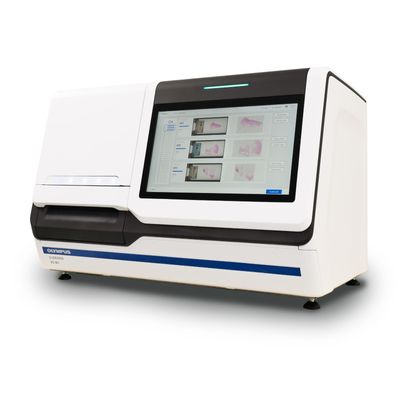
Evident - Model SLIDEVIEW VS-M1 -Slide Scanner
Obtain microscope-quality images of tissue and cell-based samples with one fast, efficient slide scanner. The SLIDEVIEW™ VS-M1 system uses standardized workflows, an intuitive interface, and smart AI tools to streamline imaging, enabling users of all skill levels to capture brightfield scans of routine pathology samples in just a few clicks. Clear, detailed results elevate your insights to support confident decisions in pathology.
Easy Scans, Confident Decisions
The optical quality that you`ve relied on for years—now in a dedicated slide scanner.
Inspired by a century of innovation and built using our rich expertise in pathology imaging, the SLIDEVIEW VS-M1 scanner delivers microscope-quality images of histology and cytology samples.
The SLIDEVIEW VS-M1 system uses standardized workflows, an intuitive interface, and smart AI tools to streamline single plane or Z-stack imaging, enabling users of all skill levels to reliably capture brightfield scans of routine pathology samples in just a few clicks.
Get the details you need to support confident decisions in pathology.
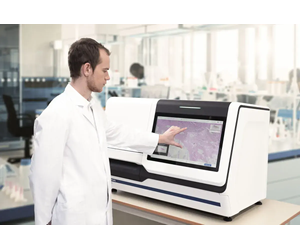
The SLIDEVIEW VS-M1 system enhances your pathology workflow by providing fast, detailed scans of tissue and cell-based samples.
- High-quality whole slide imaging: Capture clear, in-focus images with fine detail and resolution.
- Illumination made for pathology stains: The scanner’s LED light source, color-corrected camera profiles, and high-performance X Line™ objective replicate the colors necessary to view pathology stains onscreen.
- Like looking through the oculars: Onscreen images appear with true-to-life colors on a high color rendering monitor with automatic calibration.
- A virtual slide tray that feels familiar: Organize and navigate digital slides just as you would with a physical slide book.
- Designed for simple, collaborative sharing: Easily share slide images with pathologists and experts within your secure network.
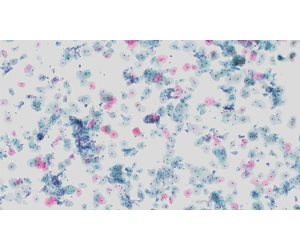
Accelerate slide digitization for efficient delivery to the pathologist. The user-friendly design and flexible scanning capabilities make it not only scalable and configurable, but also intuitive. Everything is designed to help your lab efficiently manage high caseloads.
- Load slides smoothly and safely: Vertical slide handling minimizes the risk of damaging or dropping slides, reducing scanner downtime.
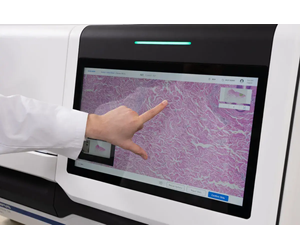
- Easy to operate: Set up and run samples via the large touch screen.
- High-speed scanning: Scan more than 80 slides per hour in speed scan mode—no focus mapping required
- Fewer rescans, more confidence: AI-powered sample detection helps improve accuracy, even for faint sample areas. Plus, manual scan mode lets you direct the scanner on where to focus and what to scan, supporting optimal results with flexible scan control.
- Configure the scanner based on your preferences: Choose from four scan modes to optimize for speed, accuracy, or sample types such as faintly stained or uneven samples. Tailor the scanner’s behavior to fit your lab’s workflow.
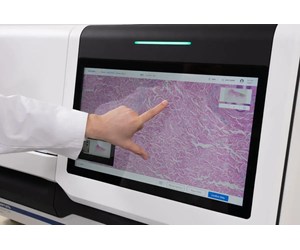
The SLIDEVIEW VS-M1 system uses a dedicated high-performance X Line objective to capture high-resolution images with enhanced flatness, enabling seamless stitching and clear whole slide scans. Capture details with confidence to support well-informed decisions.
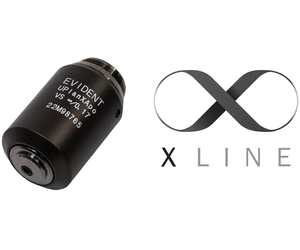
The X Line extended apochromat objective provides homogeneous image flatness and an extended range of chromatic aberration correction. The objective is paired with our high color rendering True Color LED light source and camera ICC color profiles specifically tuned for whole slide images to provide the true-to-life color reproduction necessary for H&E, IHC, and special stains. Images are displayed on a diagnostic-quality monitor with wide gamut coverage, calibrated for digital pathology. This is designed to maintain color accuracy, consistency, and stability over time—helping to provide a level of detail comparable to viewing through a microscope.
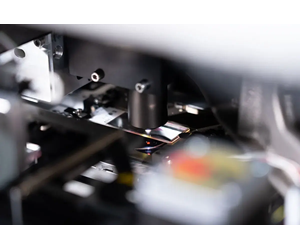
Developed in collaboration with pathologists, the SLIDEVIEW VS-M1 system is intuitive and easy to use. With multiple scan modes and customizable settings, it adapts to the way you work, letting you create sample-specific protocols to fit your lab’s priorities. A virtual slide tray mimics the experience of handling physical slides, supporting a smooth transition to digital pathology while maintaining a familiar workflow.
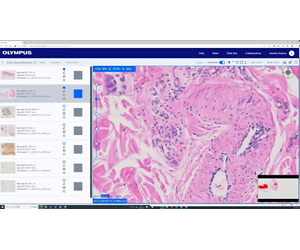
Secure, built-in collaboration tools make it easy to share slide images with other pathologists and experts anywhere in the world. Users can access the data from any computer without installing additional software.

Start scanning with just one click, with no need to set up scan profiles. With a large touch screen, step-by-step operation, and simple, secure vertical slide loading, the SLIDEVIEW VS-M1 system is designed for easy integration into high-throughput labs.
User-Friendly Touch Screen
The scanner’s large touch screen makes accessing controls and settings simple and intuitive.
Fast, Secure Slide Loading
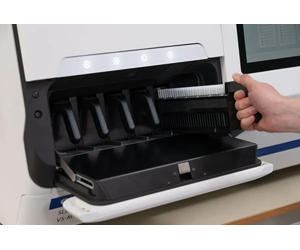
Easily load the slides into the rack and place them into the scanner. Slides are loaded vertically rather than horizontally to reduce the chance of damaging or dropping them, reducing scanner downtime.
Simple, Guided Workflow
The system walks you through the scanning process. When the scan is complete, you can deliver them directly to the pathologist with a single tap or review the quality of the digital slides on the touch screen before sending.
Designed for both histology and cytology, the SLIDEVIEW VS-M1 system offers the flexibility to accommodate diverse lab requirements—adapting to different sample types and facilitating high caseloads as they arise. Choose between single-layer or multi-layer scans as needed for greater precision and efficiency in analysis.
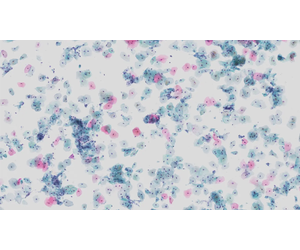
The SLIDEVIEW VS-M1 system holds up to 150 slides at once, enabling high-throughput routine scanning. Continuous loading lets you exchange racks of 30 slides each as the scanner runs and insert urgent slides in a running batch, increasing throughput.
A scanning speed of more than 80 slides per hour helps streamline the digitization process, supporting faster workflow efficiency. The system’s real-time autofocus reduces the need for manual focus mapping, enabling faster scanning.
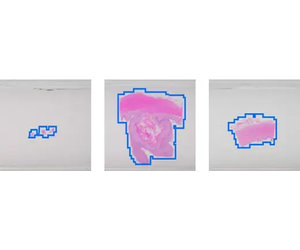
AI-powered sample detection automatically identifies all areas with cells or tissue on the slide, speeding up scans and reducing the need for rescans. This helps to capture faintly stained areas while optimizing data storage requirements.
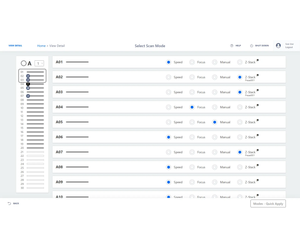
Create sample-based specific workflows for your laboratory’s priorities, with four scan modes to tailor the scan to application and sample needs.
- Speed scan mode: Use fast real-time autofocus to quickly capture high-quality images.
- Focus scan mode: Use single-point autofocus to create a detailed focus map before scanning, improving accuracy on challenging samples.
- Manual scan mode: Set individual focus points and define the scan area, helping put faintly stained or uneven specimens in focus.
- Z-stack scan mode: Use preset protocols for standard sample types or define custom parameters for your specific application.
The SLIDEVIEW VS-M1 system easily integrates with your existing lab information system (LIS) and supports various healthcare network protocols, including HL7 and FHIR. The DICOM format enables compatibility with existing PACS- or DICOM-based image management systems. The system has HIPAA and NIST data security features, encryption, and central account management. Use the system’s central management platform to remotely view scanner system faults and errors, as well as download reports.
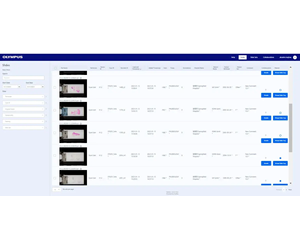
The Evident Management Portal (EMP) provides a centralized platform to configure and maintain multiple scanners within a lab. Control who has access to the scanner and EMP; set scanner configurations, such as barcode parsing and the default scan mode; and monitor diagnostic information, including active status, instrument logs, audit logs, and scanner usage statistics.