


- Home
- Companies
- Biopticon Corporation
- Products
- TumorImager 2 - Tumor Scanner
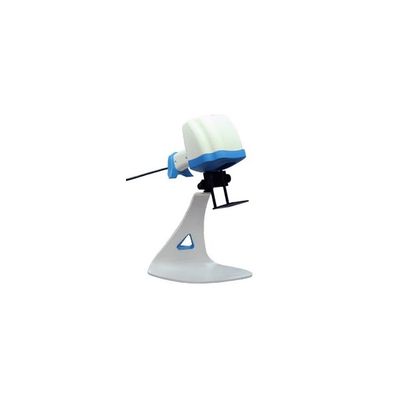
TumorImager 2 - Tumor Scanner
TumorImager 2 is our next generation tumor scanner for subcutaneous tumor measurements on small lab animals. It uses a unique structured light tumor imaging system to capture both a 3D surface profile and a color image. The result is a one-of-a-kind tumor imaging providing a record of tumor shape and color. The patented algorithms can also isolate a tumor in the recorded image and calculate the volume or area. When interfaced to TumorManager 2 this leads to a simple but robust, data-verified measurement system that offers speed, accuracy and flexibility. TumorImager 2 can be quickly converted between a “supermarket-style” hand-held tumor scanner and hands-free scanner using the convenient multi-axis stand. No tools required! The whole unit can be placed in a biosafety hood and easily moved about the lab.
The working principle of tumor imaging
TumorImager 2 constructs a 3D surface profile by projecting special light patterns on the animal. The relationship between different pattern images allows the creation of an animal surface profile. Like TumorImagerTM, our patented algorithms can automatically isolate a tumor within this profile. Once the tumor is located, volume, area, and other custom statistics are calculated. In addition, a color image and surface profile can be logged for future reference or analysis.
The tumor measurement process
A typical animal scan takes just a few seconds:
- Position the animal region to be scanned under the black mask plate attached to the scanner. For the hands-free mode, one or two hands can be used to hold the animal.
- Initiate the scan process by pressing the button on the scanner grip, by pressing a foot pedal, or by pressing the scan button on the computer screen.
- After about 1 second, the flashing lights will cease and the animal can be returned to its cage.
- The segmented tumor image together with the tumor volume and area is displayed on the program screen. And the current tumor volume is displayed on the growth curve for this tumor.
- Once the user accepts the scan into the database, the next animal can be scanned.
TumorImager 2 also easily allows for user-defined regions to be measured and to quickly initiate a rescan. This process generally takes less time than making caliper measurements for advanced tumor imaging.
Scan modes: Hand-held or hands-free stand
Maximum tumor size: 30 mm
Maximum tumor height: 20 mm
Tumor scan time: Auto-Segmentation: ~3 sec
Manual Segmentation: Touchscreen, mouse
Resolution, z axis: 50µm
Computer Interface: USB 3.0
Color Imaging format: 480×640 Color JPG
Surface profile format: OBJ, PLY
User Interfaces: Touch screen, mouse, foot pedal, and scanner button
- Intel® i5 or better processor
- Microsoft® Windows XP SP3, Vista SP2 or Windows 7, 8, 8.1, 10
- Minimum 4GB of RAM and 750MB of available hard-disk space for program installation
- Minimum 1,280×1,024 monitor resolution video card with OpenGL capability
- Internet or phone connection required for product activation, remote diagnostics, and support
- 1 USB port the TumorImager 2™ and extra USB ports for balance, caliper and RFID readers, etc.
- MS SQL Server 2008 R2, 2012, 2014 or 2016 database