


- Home
- Companies
- HENAN SUNTRONT TECH CO. LTD
- Products
- SUNTRONT - Model NB-IoT - Ultrasonic ...
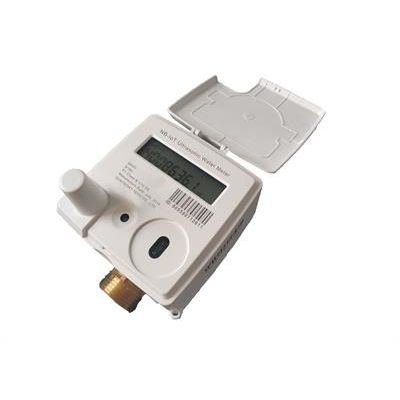
SUNTRONT - Model NB-IoT -Ultrasonic Water Meter
NB-IoT ultrasonic water meter is used for measuring water flow rate in the pipe. which send meter data to server via wireless NB-IoT network.
NB-IoT ultrasonic water meter is used for measuring water flow rate through pipe via wireless NB-IoT network upload water consumption
The whole NB-IoT ultrasonic meter reading system consists of ultrasonic water meter, and monitoring management software. The management center can read and monitor water meter accumulated water consumption, instantaneous water flowrate info by NB-IoT network directly.
NB-IoT water meter can configure 3 days to upload for each month, and in these three days, each day can set 2 time periods to bring device online, and the user can configure time according to the need. During online time, management center can read real-time accumulated water consumption
Timed upload
The ultrasonic water meter defaults to upload data at 0:00 every day, and the timing upload start time can be set as needed.
Reading real-time and historical data
When the ultrasonic water meter is online, we can use the management software to read real-time accumulated water consumption and other data information, or read freeze accumulated water consumption of each day for last two months and monthly water consumption for last 24 months.
Parameter setting
Related parameters of ultrasonic water meter can be set by setting relevant preset commands on the software.For example, we can set the reporting frequency, the starting time of intensive collection, the alarm threshold of large flow, the number of retry reports, and the configuration parameters of water meter.
Remote valve control(with valve control meter)
Valve opening and closing commands can be sent to the ultrasonic water meter through the management software. After receive the valve closing command and the meter LCD will display OFF Close (indicating that the valve is closed). Valve opening command is sent to the ultrasonic water meter, after receive the command meter LCD will display ON after the smart water meter receives the command (indicating that the valve is opened).
Preparation work before installation
- Ultrasonic NB-IoT water meter adopts NB-IoT network for communication. A signal mark of
- Login the smart meter integrated management system (SMIMS) server and enter the management system on a computer that is connected to internet.
- Create a file for the water meter with its ex-factory number. For details, please refer to the ID number and IMEI number on the water meter.
- After pressing the button on the ultrasonic water meter, the screen will start displaying. The information of meter ID, time, IMEI, temperature can be seen.
- The ultrasonic water meter can be installed in area which is covered by NB-IoT network. The signal value can be checked by the management software and it is not recommended to install the meter in where the signal value is below 5.
Attention
- Water meter installation should be complied with GB/T778.2 installation requirements.
- It is suggested to install the filter in front of the ultrasonic water meter and install the valve in front of the filters to facilitate the maintenance and cleaning of the filters.
- Wash the pipe before installation to avoid threads, tones or other sundries in the pipeline from causing malfunction of the meter.
- Ultrasonic water meter should be installed horizontally (display face up).
- Please leave enough space for repairing, and install according to water flow direction on the pipe.
- Please do not apply too much force when connecting the ultrasonic water meter and pipe, to avoid damaging the meter body and causing water leakage.
- Please do not knock the meter shell violently or cause strong vibration during installation, in case of damaging the equipment.