


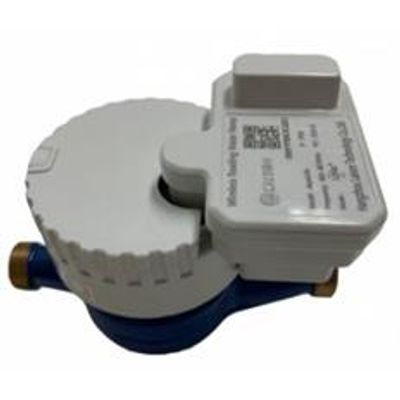
AquaLink - Wireless Reading Water Meter (LoRa)
LAISON Walk-by Wireless Reading Water Meter AquaLink (Hereafter mentioned as AquaLink) is developed basing on LoRa RF Wireless Com. Technology from Semtech (https://www.semtech.com/), features in long communication and low power consumption for Automatic Remote Water Meter Data Collection while driving or walking along the street. The default LoRa RF Wireless Com. Frequency is 470MHz, and can be customized to 433MHz, 865-867MHz, 912-915MHz etc. as request by different countries. The basic water meter parameters like Total Consumed Water Volume, Instantaneous flow rate, Meter’s Real Time Clock (RTC), Battery Voltage etc. could be collected and store to LAISON MDT (Mobile Data Terminal) and uploaded to Center System via GPRS or WIFI for further analyzing.
1.1 Meter part
1) Real Time Clock
AquaLink Smart Water provide Real Time Clock in meter side with high accuracy
2) Water Measurement
AquaLink Smart Water Meter could accumulate the total consumed volume passing through
3) Reverse Flow Detect and Measure
AquaLink Smart Water Meter could detect the reverse flow event and accumulate the water consumed in reverse flow status.
4) Instantaneous flow rate measurement
AquaLink Smart Water Meter could measure the Instantaneous Flow Rate when water passing through and can be read by RF Wireless Com.
1.2 AquaLink App. on MDT (Mobile Data Terminal)
1) Meter’s GIS Info. Collected
By integrating with GOOGLE MAP inside the LAISON AquaLink Android App., the operator could collect the meter’s exact location includes Longitude and Latitude during installation, for further Meter Data Collection and Meter Track if necessary
2) Meter Reading Task Download
The appointed operator could download the Meter Reading Task from the Center System which is allocated by administrator, includes Meter No. List which need to be read with its corresponding GIS info.
3) Automatic Batch Meter Data Collection
Meters’ data which is allocated under certain task to specific appointed operator could be collected automatically during walking along the stree
4) Meter Data Checking
The meter data reading result could be check on AquaLink App. interface to see whether the meter reading task is finished. If not, the operator could do further single meter data reading by tracking the Meter on map.
5) Meter Data Upload
After finishing the Meter Data Collection Task, the appointed operator could upload the data to Center System via GPRS or WIFI for data analyzing and further checking
6) Real Time Communication with meter
By RF Wireless Communication, Operator could manually collect meter’s data by single meter communication to check the basic meter’s parameters includes
- Instantaneous Flow Rate
- Total Water Consumed
- Total Reversed Water Consumed
- Meter’s Real Time Clock
- Battery Voltage