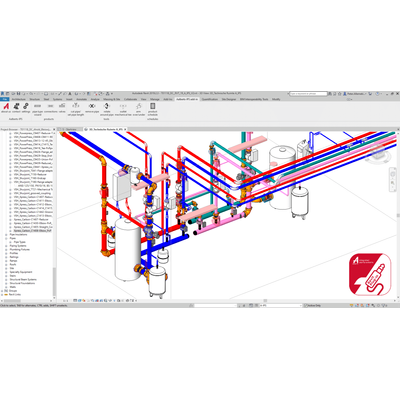
Aalberts Integrated Piping Systems has developed a specialized plugin for Autodesk Revit designed to optimize and accelerate the design of complex piping systems. This free plugin is tailored for efficiency, allowing users to easily select and load Revit families directly into their projects. Equipped with a robust library function, it offers convenient tools to streamline the modeling process of piping systems. Engineers and designers benefit from the plugin’s ability to provide up to a 50% reduction in design time and minimize errors through its Pipe System Wizard. The wizard facilitates selection by application, product lines, pipe material, and quality standards, making it a versatile tool for professionals working on dynamic piping systems. By offering such features, the Aalberts IPS Revit Plug-In supports the creation of efficient, accurate piping installations within Autodesk Revit.
design complex piping systems faster with up to 15,000 Aalberts integrated piping systems products
Aalberts integrated piping systems has developed a free plugin for Autodesk Revit with which users can easily and clearly select Revit families and load them into projects. In addition to a library function, the plugin contains a number of useful tools that simplify the modeling of piping systems within Autodesk Revit.
Suitable for Autodesk Revit versions from 2019
Structured data based on ETIM-MC standard and Dutch Revit Standards (NLRS)
Optimized pipe types and routing preferences based on application, approval and pipe standard
Selection and modeling tools that simplify workflow and increase productivity
time savings of up to 50% and reduction of the chance of errors
free Revit add-in with direct access to the complete up-to-date product catalog of Aalberts integrated piping systems with up to 15,000 products
also modeling tools to simplify workflow and increase productivity
Pipe system wizard with simple filtering options by application, product lines, pipe material and quality standards