


- Home
- Companies
- Friendly Eagle Software Inc.
- Software
- The OPTIC System - Advanced Health, ...
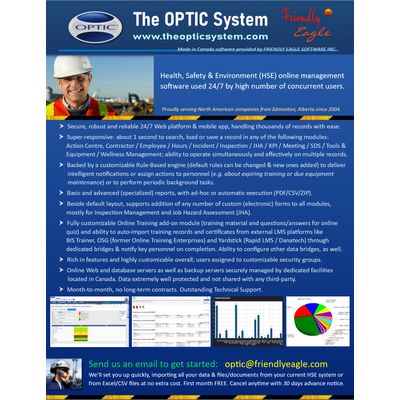
The OPTIC System - Advanced Health, Safety & Environment (HSE) Management Software for Web and mobile
The OPTIC System ("OPTIC", www.theopticsystem.com) is a Web-based safety software provided, developed and maintained by Friendly Eagle Software Inc. (Edmonton, Alberta, Canada) - integrating database and Internet communication technologies to help people operate healthy, safe, productive workplaces. All your HSE daily tools with an Online Training add-on module, automatic notifications and scheduled reports in one package, driven by business rules, all controlled by custom security levels - continuously improved since 2004. Rich in Features / Robust / Responsive / Reliable. Used 24/7 by thousands of concurrent users. Outstanding Technical Support. Monthly subscription, no long-term contracts. First month is free. We'll set you up quickly and import all your data and files/documents from current system at no cost.We have multiple modules in four sections including:
Qualified People. Employee management, including training, Contractor management, Meetings Management and Awards and Incentives; Hazard Identification and Control. Inspections, Job Hazard Assessments, MSDS Tracking, Tools and Equipment; Incident Management. Incident reporting and investigation, Wellness management; Helpful Resources. Forms, documents, safety manuals; Smart Notifications. Action-based system and smart notifications based on an Artificial Intelligence engine.
This is a performance oriented system that counts compliance as only one factor to consider. We also include ease of use, efficient data entry, access to filtered information, tracking outstanding actions, generating standard reports and using the information for continuous improvement.
Online Training (OPTIC LMS):Add-on module (additional subcriptionrequired), released August 2019- allowing taking online training within OPTIC. Essentially any training material can be uploaded (MP4, AVI, PDF, Power Point, Word, etc. files) or linked externally (YouTube, Vimeo, etc. files). Quiz questions can be defined with with a rich set of configurations (PASScriteria as 75% correct answers, quiz timeouts, mandatory questions, single or multiple answers. etc.). Employees review the training material and answer the quiz. If PASSED, a standard training record is appended to employee`e training profile together with a QR code certificate and supervisors / managers / administrative personnel are notified about the new training taken through business rules (similar notifications on FAIL). We are also offerring an API for retrieving training data (JSON format) and training certificates. For additional information, please visit PRICING section.
OPTICis a tool to help you do your job better. Using interaction design we focus on improving the behaviour of the software so that it helps people accomplish their assigned tasks. This is much more than just collecting and storing data. It involves understanding the role of the person in the company (as opposed to their role in the software system) and how the work they do with the software, makes their offline job easier and leads to superior performance.
We are here to build confidence and help people experience success.
For example, the largest number of users of the software are often outside the safety department. They are administrative and operations staff who do not have the time to deal with a slow, unresponsive system that does not make intuitive sense. They need to be able to get to their specific jobs quickly and efficiently without rooting through an overly complex navigation system that may make sense in theory, but is a pain in practice.
We do field studies to review how users actually use the software as well as understand the environment they are expected to work in. We are continually improving the modules based on input from The OPTIC System Community of users and advisors. The Web carries powerful technology. We are only scratching the surface of its potential for productivity and superior loss management performance.
If there is a task you are struggling with, maybe we can help. Get in touch with us to for an operational review and we`ll see whether our system can help you, or whether there is an alternative. We can import data from other systems that you currently use. OPTIC has also the ability to do fully automated, periodic data importing, besides on-request API calls for data transfers.
The OPTIC System (OPTIC) is a workplace health, safety and environment (HSE) management Web-based software for construction and trade services, asset intensive manufacturing and industrial processing companies, utilities and municipal services - allowing customers to use the best safety practices in HSE based business process management.
Initiated between years 2005 and 2006, the software modules have been designed with a certain consistency in mind, therefore preserving a similar look and feel, generally operating on one or multiple records at once. Modules are divided into four main areas of activity:
- People: Awards & Incentives, Contractor Management, Employee Management, Hours Management, KPI Management, Meeting Management;
- Hazard Management: Inspection Management, Job Hazard Assessment, SDS Management, Tools & Equipment Management;
- Loss Management: Incident Management, Wellness Management;
- Resources: Documents, Forms, HSE Manual, Legislation, Media, Memos, Quality Control, Toolbox Topics;
In addition: Dashboard and Online Training (OPTIC LMS, add-on) modules.
Module highlights:
- Action Centre : Manages corrective or preventative actions created either manually (assigned to one or more people, regular or “joint”/one-completes-for-all) or automatically by the system. Management of actions assigned from other modules (most modules allow assigning actions, e.g. incident or inspection actions). Ability to define multiple references to other OPTIC records (e.g. to an employee, an incident and two documents). Attachments section.
- Awards and Incentives : Intended to motivate or reward employees, in a point-based system. Points or items (e.g. hats, t-shirts, etc.) can be awarded manually or automatically.
- Contractor Management : Management of contractors (companies) and their employees (contractor employees) – Basic Information, Attachments, Clearance Letter, Certificate of Insurance (Commercial and Automobile), Certificate of Recognition, GST information, NDA document, QA / QC documentation, Questionnaire, yearly TRIF (last 3 years), WCB by province / state (multiple years), multiple Contacts. All employees (contractor employees) managed through Employee Management.
- Employee Management : Management of employee records – Basic Information, Additional Information, Attachments, Attendance, Behavior, Confidential Information, Driver File (containing 14 subsections: Abstract Consent Form, Driver Abstract, Driving Infractions, etc.), Job History (change tracking), Medical (including Fitness to Work records / Medical Questionnaires – with stats in main OPTIC page), Performance (complex subsection, with multiple evaluations and automatic average calculation), Preferences, Security Information (enabling online access / user name, assigning security groups, resetting password), LINKS (list of records involving current employee record), ADMIN (merging employee records, with automatic search and re-linking to other records, e.g. replacing employee involved in an incident). Subsections: Training (full integration with Online Training / OPTIC LMS), Apprenticeship, Trades, Projects, Transfer.
- Hours Management : Collection (manual entry) of hours worked in a custom-defined time period (day, week, month, year) for custom-defined granularity (contractor, employee, project, department, location, organization), with automatic roll-up (summary at top). Attachments section.
- Incident Management : Advanced management of incident reporting, with Basic Information about the incident (occurrence and reported dates, on-site supervisor, contact person, description, immediate action taken, nature of incident, people/equipment involved and many other fields), Attachments, Costs, Investigation Team, Incident Rating (Loss Rating / Risk Rating / Likelihood of Reoccurrence / Activity Frequency), Causal Analysis (SCAT technique), Circulate (notification of key personnel about the incident). Multiple sections for managing the details related to the nature of incident, e.g. First Aid (by person involved) in case of an injury. Allows defining injured body parts. Automatic generation of wellness records (configurable)
- Inspection Management : Management of inspection records performed using the default layout or custom layout (using templates), first OPTIC module that implemented custom layouts, also used when building the very first version of the mobile application (OPTIC Mobile, previously known as OPTIC Offline). Can be linked to a Tool / Equipment record. Attachments section.
- Job Hazard Assessment : Management of job hazard assessments through Basic Information, Attachments and Assessment Team. Approval task with notifications to key personnel. Management of multiple Steps / Hazard / Controls.
- KPI Management : Allows defining custom metrics and applying those to a particular time resolution (day, week, month, quarter, year) and time range to produce outputs, combined with user data (manual data entry) – if needed. The default layout produces a tabular layout but the layout can also be changed to meet customer needs (custom layouts). Roll-up KPI records can be created, combining the results of multiple regular KPI. Defining the metrics require working with Technical Support – in order to define and implement the low-level aspects of the logic required. Attachments section.
- Meeting Management : Allows defining the context of a meeting (date/time, type, location, general notes), building agenda and meeting records (text and attachments) as well as assigning the meeting chair and keeping track of invitees / attendees. References to other records can be provided, e.g. documents, incident records, etc. People can be notified about the Agenda / Minutes. Attachments section.
- Online Training (OPTIC LMS): Allows custom-designing of online training material (direct upload of files in any format or pointing to external resources – documents, video, etc.) and quiz questions, as well as the ability for LMS candidates to upload personal information (apprenticeships, driving licence and related information, trades, previous training, additional / medical information) followed by approval from LMS administrators. Online tests are tracked automatically, providing activity overview as well as history of answers provided (with timestamp) and training certificates with embedded QR codes. Multiple email notifications for training assigned, test passed/failed, approval needed as well as approved/rejected, etc.
- SDS Management : Management of SDS documents and related documentation, with ability to generate binders (PDF files) from multiple SDS records. Ability to share an SDS with other OPTIC customers (integration of such selected SDS records in own OPTIC system).
- Tools & Equipment Management : Management of tools and equipment records through Basic Information, Attachments, Depreciation calculation (Straight Line and Double Declining Balance depreciation methods), History (change tracking), Insurance, Lease / Rental, Purchase Information, LINKS (list of records involving current T/E record). Can be assigned to an employee or to another tool/equipment record. Tracking of Maintenance / Repairs records, with most recent Certifications in Basic Information – for quick preview. Transfer task.
- Wellness Management : Management of manually created wellness records or of automatic records created from First Aid sections of an incident record – through Basic Information, Additional Information, Attachments, Activities, Claim Information (WCB), Costs, Injury / Illness (extension of First Aid section of an incident, if applicable), Lost Time / Modified Duties.
- RESOURCES : Management of Documents, Forms, HSE Manual, Legislation, Media, Memos, Quality Control, Toolbox Topics – in dedicated sections and with the ability to assign actions related to individual documents/files. Any file type can be uploaded or references to thirdparty (Web) documents can be provided. Folder-level security access by security group (on top of standard security).
- Dashboard Provides overall information / visuals through line/bar/pie charts – preconfigured for each security group (further configuration allowed when using / viewing those Dashboard items), on multiple “screens” – which can be swiped left/right. Allows a high level of customization. Similar to KPI Management module, requires working with Technical Support to define the Dashboard items, but several default items are already provided.
- Reports The customized, ad-hoc or scheduled reports provide key information to assist in analysis of company safety overall, delivered in PDF or CSV (data only) formats. Currently, there are 70 reports in the system. Configuration parameters (“report configurations”) can be saved for later use, acting as shortcuts and therefore users being able to run them immediately.
- Online Help Provides insight over all main areas of OPTIC, with screenshots and can be accessed from any main module. Can be printed as whole or only the section currently viewed.
- Settings Allows changing (updating) of a large number of settings or adding/deleting settings – where allowed. Settings are grouped by module. Some settings cannot be deleted (system settings).
- Security The entire system is driven by permissions assigned to Security Groups, which in turn define what a user assigned to a security group can do or not in the system. All configuration is defined at high level inheriting towards lower levels, in a tree-like structure. When a particular security setting is not defined, the parent setting is used – for example, certain users can be blocked from viewing SIN (SSN) numbers and date of births of employee records (Employee Management). Security can also be overwritten or extended by business rules – for example: “given that all users of a security group are denied access to all incident records, allow full access to those users of a certain department“.
- Rule-Based Engine Fully integrated with OPTIC, a rule-based engine runs on a set of business rules defined by module. The rules are of three types: (1) regular/operational, executing along e.g. during a record SAVE, to notify people about a new or updated record; (2) regular/periodic, executing from time to time, as configured, to check conditions and fire (execute); (3) maintenance/cleanup business rules, e.g. to remove temporary or old/unused data. Currently, OPTIC has over 135 default business rules. Customers can configure those through Settings but the core logic can be changed only by Technical Support. Some customers have their own business rules, developed for them only – to meet their needs. The business rules can be configured to do essentially anything / anytime for a customer (not only notifications) and they are 100% integrated with the system. At a certain point, we may extend the engine’s functionality towards a true Artificial Intelligence (AI) component, with chained reasoning (deductive, inductive or/and mixed). For now, the engine is functioning in simple deductive mode, without chaining (e.g. results of a fired rule to be applied to other rules and so on; explanatory module, etc)
- Advanced Search All main modules have an Advanced Search section, allowing to find quickly any set of records in the system – based on a set of filters, e.g. “Find all employees in (a particular department) with email address containing (keyword)”
- Attachments All main modules have an Attachments section allowing uploading files to server, providing a third-party Web link (e.g. link to a PDF or video file) or uploading an image captured live from computer’s/device’s camera (subject to user permission to access camera).
- Emails from OPTIC Users have the ability to send emails directly from OPTIC – with attachments from their computer/device or implicit attachment (PDF) after running a report.
- Templates (Custom Layouts) Essentially all main modules have the ability to use templates (custom layouts), which are also mobile-friendly and are defined once for the Web application then can be used with the mobile application as well.
- Multi-Language Support for multi-language exists but it has not been enriched yet, the English (default) version being accepted by our customers.
- Data Bridges OPTIC has the ability to automate data movement from other applications or database environments (e.g.HR apps) into its own database, usually as data in CSV (commaseparated values) format. We have multiple customers using such bridges, usually running during the night. The cost of developing such bridges may range from $1,200 to $4,500 depending on complexity and needs to be evaluated. OPTIC has also the ability to automate importing of training from other LMS / online training platforms (OSG Online / former Online Learning Enterprises and Yardstick / Rapid LMS) through API calls.
- Geolocation Subject to user permission, OPTIC has the ability to capture the geolocation (latitude, longitude) of current user and store it in database upon SAVE. It can also be viewed on a standard Google Maps by clicking on the corresponding icon shown in the area of Last Updated Date / By of a main module record. Geolocation is also captured automatically by the mobile app (OPTIC Mobile).
- Integration with Eagle GPS OPTIC is fully integrated with www.eaglegps.ca platform, developed and owned by Friendly Eagle Software Inc. so that if an employee is tracked by a GPS tracking device, live province / state and geolocation are displayed under Employee Management, updated every ~ 30 seconds. Similar integration exists for Tools / Equipment.
- Performance Considerable every development effort has been invested to make the system responsive and robust/reliable. We realize that everyone’s time is precious and we’ve narrowed down deficiencies and either fixed issues or replaced functional areas in order to achieve that.
- Continuous Upgrades and Custom Development OPTIC is a dynamic product, continuously evolving based on customer feedback. New features – targeted to a meet a particular customer’s needs – are added from time to time. Those changes must not impact normal operation of other customers and they need to be consistent with the application, overall. Our hourly rate for such developments is $200, all done based on an approved statement of work – providing an hourly estimate. Developments which would benefiting other OPTIC customers are executed at 50% of total cost.
- Technical Support Included automatically. We are aiming to be very responsive to customer requests and suggestions, as well as to resolve any potential issues as quickly as possible and as our development agenda (development path) allows
- Mobile Application OPTIC Mobile app complements the Web application and there is no extra cost to use it - with the regular Client ID (derived from company name), User Name and Password used in the Web application. It operates on a subset of records downloaded from server to a mobile device, being a simplified version of the Web application. Custom (electronic) forms are supported as well. Documents (PDF, Word, audio/MP3, video/MP4, pictures, etc.) can be downloaded on the mobile device for later viewing with default application of the mobile device - when disconnected from the Internet. In a similar way, the records and custom (electronic) forms can be operated on while offline, with automatic or manual uploading to the OPTIC server when Internet becomes available. The performance of the mobile app is defined by the volume of data downloaded, adjustable through the app`s settings.
The software is designed for construction and construction trade services, asset intensive manufacturing and processing companies, utilities and municipal services. This has enabled us to support operations with significant employee movement (active/inactive) and eliminate the need to redo records every time an employee is reactivated for a job.
It has also allowed us to support operations with centralized fabrication and on-site field services with tools like incident summary reports by location and forms that can be filled in offline and uploaded once your are back in range of a good Internet connection.
Our current customer base operates systems anywhere from 1 to 15,000 employee records in a range of sectors including construction, manufacturing, oil and gas services, environmental services and municipal government.
We have the reputation of a very responsive and outstanding Technical Support, resolving any potential issues as quickly as possible - keeping our customers informed along the way. We are also listening to customer feedback, incorporating as much as possible according to our development agenda or as custom (financially assisted) development.