


ENERCALC - Version Autodesk -API for Revit
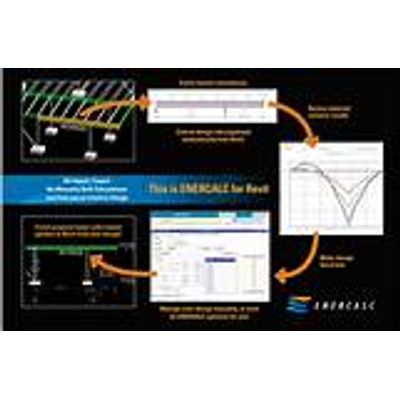
ENERCALC for Autodesk™ Revit™ simplifies structural design by bridging the gap between calculation and documentation. It allows engineers to access the familiar power of ENERCALC SEL as a seamless real-time extension of your Revit environment. ENERCALC’s use of the Revit API results in fast-paced, intuitive design with no import/export process.
Using ENERCALC for Revit, you can:
- Instantly build a complete structural calculation by simply clicking a Revit element,
- Perform design of structural components, and
- Automatically update the Revit model to match the resulting structural design.
- Leverage rich Revit-based visuals as you conveniently manage calculations, overview design status, and track ongoing changes to the BIM model.
- Perform Revit-driven design WITHOUT changing your existing workflows – Generate structural calculations that work the way you do – immersed in the Revit environment. Design faster than ever using an intuitive blend of physical model geometry and automatically managed analytical loads.
- Seamlessly create, edit, and save calcs WITHOUT cumbersome file exchanges – Stay focused on engineering without the worry and hassle of moving or updating data between platforms.
- Create and manage calculations WITHOUT manual data entry – Your team has invested time and money building each project’s Revit model. Put that BIM data to work with ENERCALC for Revit and build detailed calculations in a fraction of the time!!
- Apply design results to the Revit model in real time – Closing the loop from design calcs back to your Revit model has never been easier. Apply newly revised section geometries, design parameters, calculated reaction forces, design reports, and so much more – with just a single click!!
- For 40 years, ENERCALC products have been designed BY structural engineers FOR structural engineers. We understand how you work, and we’re here to make it happen. ENERCALC for Revit is ready to take your team’s efficiency to the next level today!
Every day we hear engineers talking about the pressure of constant deadlines. EFR allows you to work more efficiently while retaining your quality standards. This time-lapse video compares performing the same task with and without ENERCALC for Revit.
EFR currently supports these modules:
- Steel Beam
- Composite Steel Beam
- Wood Beam
We’re working on support for other SEL modules. Your feedback is essential as we continue this process.
Navigation • Build calculations • Review & “What-If” in ENERCALC • Load linking • Change Monitoring • Color-coded graphical cues • Bulk recalculations
Create and manage ENERCALC calculations conveniently from the Revit ribbon bar
Use Revit model geometry to build detailed structural calculations instantly.
Review calculations and design structural components via the familiar ENERCALC Structural Engineering Library interface.
Automatically apply reaction forces to related structural elements via Load-Linking
Overview and visualize projects with the power of Revit’s rich native graphic controls
Effortlessly update calculations on the fly to reflect Revit model changes using bulk recalculation tools