


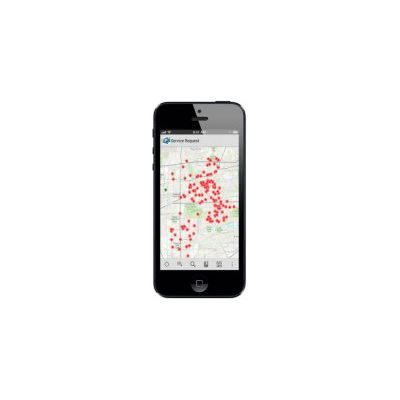
Apps for Smartphones & Tablets
Apps for Smartphones and Tablets use mobile capabilities in your existing enterprise workflows to extend the reach of GIS to a wider audience. Take advantage of mapping applications and developer-focused SDKs that improve the efficiency of field operations and help you make timely and more informed business decisions. These apps make it faster and easier for field and office staff to collaborate and get real time information.
Collector for ArcGIS improves your productivity with intuitive data collection. It`s designed specifically for iPhone and Android smartphones.
- Capture, update, and report spatial and tabular information directly from your Android or Apple device.
- Plan routes and get directions.
- Improve your data quality with data-driven forms.
- Capture photos and video.
- Integrate information into your organization`s GIS.
- Configure the app to fit your organization’s workflow.
Data captured in the field using the Collector app can be displayed in an Operations Dashboard.
The ArcGIS App extends the reach of your GIS from the office to the field. Navigate maps, collect and report data, and perform GIS analysis using the free downloadable application from Google Play, the Apple App Store, Amazon Appstore, and Windows Phone Marketplace. The app includes a developer-focused Runtime SDK that you can leverage to build your own custom mobile applications.
The ArcGIS App is a part of the ArcGIS platform and is a great way to
- Discover and share content by browsing map galleries from ArcGIS Online or leverage services from your existing enterprise GIS.
- Collect, edit, and update features and attributes.
- Use tools to search, identify, measure, and query.
- Develop a custom application or brand your own application specific to your business needs.
ArcGIS Preview App Available for Windows 8
The Windows 8 app provides a preview of features that integrate the new touch-centric view of Windows 8 and Windows RT with the ArcGIS Online mapping platform. With this app, you can explore a gallery of compelling maps that showcase relevant demographic, historical, and environmental topics.
Use the app to
- View and search a preset gallery of featured maps
- Navigate a map, access map content, and search for places within the map view
- Tap to discover information in the map and view results
- Change layer visibility and opacity
- Switch between a variety of basemaps
- Use bookmarks to quickly access areas of interest
- Easily measure areas and distance
- Pin a map to the Start screen
- Quickly print a map