


Esri
Most popular related searches
In addition, ArcGIS for AutoCAD gives you the ability to prepare CAD data for use with the ArcGIS system while leveraging your existing CAD standards.
Use ArcGIS for AutoCAD to
- Streamline information sharing between GIS and CAD groups.
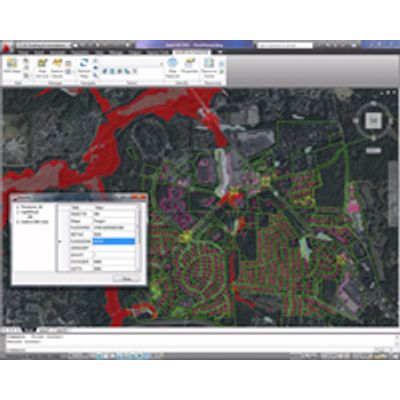
- View live, rich cartographic GIS maps in AutoCAD.
- Include the results of GIS analysis in AutoCAD designs.
- Create, manipulate, and define how CAD data is organized and attributed as GIS content so it can be used in ArcGIS for Desktop or AutoCAD.
Edit Enterprise Geodatabases through ArcGIS for Server Feature Services
- Connect to ArcGIS for Server feature services and edit the features stored in a geodatabase using AutoCAD.
- Connected and long transaction workflows supported.
- Connect to read-only feature services to stream vector feature services into your AutoCAD session.
- Extract your own local copy of geodatabase features from a feature service as AutoCAD entities.
Location Services
- Navigate your drawing by street address or place names using free online locator services.
- Reference your own ArcGIS Locator service to navigate your AutoCAD drawings based on your own place names.
Access ArcGIS for Server Map Services and ArcGIS Online Within AutoCAD
- View one or more georeferenced ArcGIS for Server map services in AutoCAD without any data conversion.
- Maps are automatically positioned according to the coordinate system defined in the CAD drawing or the map service.
- Examine the attribute values of map features.
- Control automatic and on-demand display updates of maps when the AutoCAD view is changed.
- Control the draw order of map services.
- Control the visibility of individual map layers in a map service.
- Convert snapshots of dynamic maps to AutoCAD raster reference entities.
- Manage and access favorite map services with the map service palette.
- Access ArcGIS for Server map services versions 9.3 and 10 on secure servers.
- Access ArcGIS for Server cached 9.3 and higher map services.
Create GIS-Ready AutoCAD Files
- Select drawing entities by their GIS attribute values.
- Add Esri industry standard data models into CAD workflows.
- Create and edit GIS data in standard .dwg files.
- Add attributes to AutoCAD entities.
- Filter graphic selections by feature class membership.
- Select from thousands of Esri coordinate system definition files (.prj).
- Customize CAD mapping applications with ArcGIS for AutoCAD commands and AutoLISP tools.