


- Home
- Companies
- Argolight SA
- Software
- Argolight - Daybook Software for ...
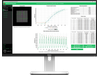
Argolight - Daybook Software for Microscope Troubleshooting and Quality Control
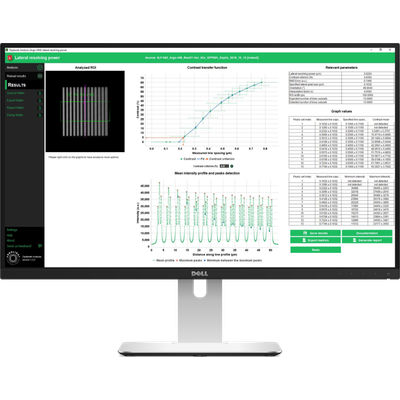
The Daybook software by Argolight offers a comprehensive solution for microscope troubleshooting and quality control. Compatible with Argolight hardware, it provides more than 12 automated quality analyses and tens of relevant metrics to assess various performance aspects of fluorescence microscopes. Key features include field uniformity analysis to ensure accurate intensity measurements, and field distortion analysis for spatial information accuracy. The software also evaluates lateral co-registration accuracy for multi-label imaging and the functionality of the line and ring spread functions for imaging system resolution. Additional tests assess aspects like stage repositioning repeatability, stage drift during timelapse or Z-stacking, accuracy of 3D reconstruction, optical sectioning strength, intensity, spectral response, and power meter analysis. Daybook is compliant with ISO 21073:2019, ensuring data accuracy for biological imaging, and offers various licensing options to suit diverse operational needs, with continuous support and updates available.
Troubleshooting microscopes or performing quality control starts with you having the relevant information. You need reliable information, quickly! so you can take the right action and save the situation.
But time-efficiency does not mean cutting back on information. We give you the best information/time ratio possible from a quick 5 minutes check or a 1 hour in-depth performance assessment.
Discover Argolight Troubleshooting and Quality Control software, DAYBOOK
Daybook works with Argolight hardware solutions
- Automated analyses : Run more than 12 automated analyses to measure field, chromatic aberrations.
- Using images: Load images for multiple format (*.CZI, *.LIF, *.ND2, *.IOR, etc)
- Monitoring: Monitor several systems with different configuration and track it over time.
- Thresholds: Create your own tolerance thresholds to detect issues. Add comment to get static information.
- Batch analysis: Analyze a batch of images at once using keyword to match analyses.
- Database: Get relevant and comparable values and save then in an organized database.
- Reports: Explore, share and report on the performance of your different system.
- Support & Update: Online support and frequent updates.
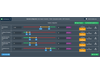
Set tolerance thresholds
You are not efficient when you spend time demonstrating that systems work well.
Quality thresholds are the solution. Show right away that systems are performing and focus on the real issues.
You can select one or two threshold values and the orientation of the traffic light colors.
Batch process images
Do you have several systems to assess? Stop wasting time when processing images one by one. Batch processing in Daybook analyzes multiple images at once.
Choose a naming convention, load your images and there you go!