
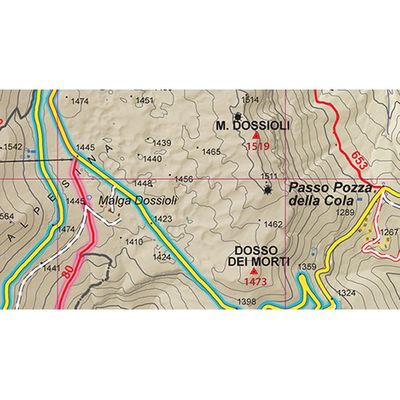
MAPublisher LabelPro - Collision-free Label Placement Software
The MAPublisher® LabelPro™ add-on offers advanced labeling capabilities beyond those available in the standard MAPublisher Feature Text Label and the MAP Tagger Tool, including a sophisticated and user-friendly rule-based and collision-free placement engine. MAPublisher® LabelPro™ is available at an additional cost for those who require more sophisticated and automated text placement functionality.
Configuration
Configure which MAP Layers will be labeled and which layers will be denoted as obstacles. Obstacles are map objects that are included in the conflict resolution decision making process that must be avoided when trying to place a label. MAP LabelPro dialog box displays all MAP Layers, label settings, and control in an easy to use interface.
Rules
MAPublisher LabelPro provides users with an intuitive graphical interface for setting up labeling rules. Each Point, Line and Area rule dialog box has numerous label placement options for a high level of label detail and a variety of configurations. Pre-defined default rules are a good starting point out of the box, however customization can make your labeling even better.
Styles
Maintain label consistency with MAPublisher LabelPro styles. Customize label sizes, fonts and colour. Line styles may also include symbols such as road or highway shields. Save style files and share them to maintain consistency across multiple user projects.
Results
Verify that labels were successfully placed in accordance to the MAPublisher LabelPro configuartion—and placed in either Destination or Supression layers. If no Suppression layer is available, non-compliant text is ignored and is not generated. Once placed, the labels are considered standard text and may be modified using Adobe Illustrator or MAPublisher operations.
Save Time
MAPublisher® LabelPro™ labeling is fast, efficient and customizable. Save countless hours of tedious post-labeling refinement of your map labels. It is the best cartographic labeling engine that offers a complete rule-based system for collision-free text placement in Adobe Illustrator.
Intelligent Labeling
Batch generate Label Filters to create multiple filters with only a few clicks. Automatically add leader lines for small features. Stack long, one-line labels into multi-line labels. Automatically reduce font sizes for better fitment. Achieve high-quality labels on curved line features. Fine tune label placement around points. And much more…
Share Settings
Save styles and rules to a file for future use or to share with multiple users across a network or across the country. Importing them is easy as dropping them into a MAPublisher LabelPro settings folder.
License Management
Easily manage license options including commercial, academic, multi-user and floating. Empower multiple users on a network with cost effective network or floating licenses.