

DeviceCare - Version SFE100 -Configuration of Endress+Hauser Devices
Configuration of Endress+Hauser devices. The fastest way to configure Endress+Hauser field devices is by using our dedicated tool DeviceCare. User-centered design allows for transparent and intuitive device connection and configuration. Intuitive menu design and guided step-by-step approach with status indication ensures best-in-class visibility.
- Fast and easy installation, online application updates, one-click connection to devices.
- Automatic hardware identification and driver catalog update.
- Device configuration with DTMs, Heartbeat verification support.
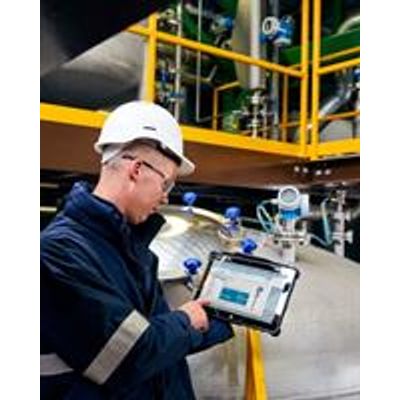
- Multi-language support, touch-ready for tablet use.
- The following communication protocols are supported: HART, PROFIBUS DP/PA, FOUNDATION Fieldbus, IO-Link, Modbus, CDI and Endress+Hauser service interfaces.
- Hardware interfaces for modems (USB/RS232), Bluetooth, TCP/IP and USB.
- Connection to Endress+Hauser Bluetooth and WLAN devices - perfect for wireless device configuration and diagnostics.
DeviceCare is the tool developed by Endress+Hauser for the configuration of Endress+Hauser devices. All smart devices in a plant can be configured via a pointto-point or point-to-bus connection. The status information given provides users with a simple yet effective tool for monitoring devices. Automatic functions and wizards guide the user easily through the program. The user-friendly menus enable transparent and intuitive access to the field devices.
- Measuring Principle: Plant Asset Management
- Application Task:
- Asset monitoring
- Configuration & parameterization
- Documentation & reports
- Process monitoring & visualization
- Maintenance management
- Field of Application: DeviceCare is the tool developed by Endress+Hauser for the configuration of Endress+Hauser devices. All smart devices in a plant can be configured via a point-to-point or point-to-bus connection. The status information given provides users with a simple yet effective tool for monitoring devices. Automatic functions and wizards guide the user easily through the program. The user-friendly menus enable transparent and intuitive access to the field devices.
- Operating systems:
- Windows 7 Professional SP1 (x32+x64)
- Windows 7 Ultimate SP1 (x32+x64)
- Windows 7 Enterprise SP1 (x32+x64)
- Windows Server 2008 R2 SP2
- Windows 8.1
- Windows 8.1 Professional
- Windows 8.1 Enterprise
- Windows 10 Professional
- Windows 10 Enterprise
- Processor type: Intel Core M i3/i5/i7 ≥ 1.8 GHz
- Main memory: 2 GB RAM
- Hard-disk capacity:
- Disk space needed:
- 600 MB DeviceCare
- Monitor resolution, display: 1280 x 768, 64k colors
- Other:
- Software required:
- Microsoft .Net 3.5
- Microsoft .Net 4.x
- PDF Reader
- Software installed:
- DeviceCare
- USB drivers
- CommDTMs
- Microsoft .Net 3.5
- Digital communication: HART, PROFIBUS DP/PA, FOUNDATION Fieldbus, Modbus, CDI and Endress+Hauser service interfaces
- Registered Trademarks:
- Microsoft, Windows, Windows 7, Windows 8.1, Windows Server 2008 R2, Windows 10 and the Microsoft logo are registered trademarks of the Microsoft Corporation.
- All other brand and product names are trademarks or registered trademarks of the companies and organisations in question.