


- Home
- Companies
- SafetyCulture
- Software
- iAuditor - Construction App
iAuditor - Construction App
Construction app is a construction quality management software designed to assist engineers, inspectors, and other construction professionals with their work assignments. It can be used for different aspects of construction, including the implementation and observation of safety and quality protocols. Foremans, managers, and site inspectors can use a construction app to collect data during site walkthroughs, safety checks, and observations.
Get rid of paperwork by converting your favorite safety and quality checklists into iAuditor’s digital format. You can also choose from our top pre-made construction templates or easily create new ones from scratch using our easy drag-and-drop template builder. Make inspections easy and hassle-free, even while offline.
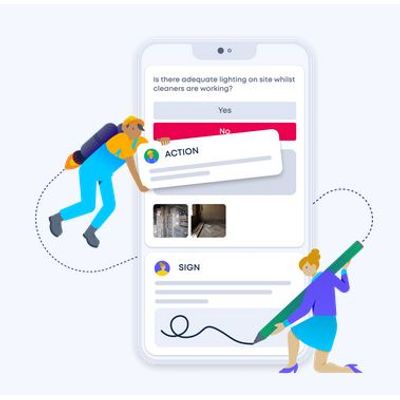
iAuditor allows you to schedule inspection assignments to appropriate personnel, which guarantees no critical checks and assessments are missed or skipped. The corrective actions feature lets you categorize issues by priority level, as well as notify the right people so serious problems are promptly rectified. You can also capture digital signatures to formally document completed assessments
Enhance operational insights with powerful analytics
Data gathered from individual inspections are compiled and pushed to iAuditor’s web platform in real-time to give you a visual overview of your performance. Use the powerful Analytics feature to filter data by time, date, location, department and more so you can identify areas of improvement and maximize your operation’s potential.
Construction is arguably one of the most dangerous industries to work in. Working at elevated heights, moving objects, slips, trips, and falls; these are just some of the hazards that contribute to injuries and fatalities in the construction industry. These hazards, however, also have one common factor: they are all avoidable.
Safety and quality go hand-in-hand in construction management. Safety is achieved by following procedure, using the correct materials, and wearing the proper protective equipment (PPE). Quality, on the other hand, is determined by having the technical know-how, then doing fastidious work using the best materials. Getting these two things right can ultimately maximize your construction company’s potential.
Performing construction safety inspections with iAuditor construction app help promote and improve site safety. It helps in the early detection of health and safety hazards so that they can be reported and addressed immediately. Regular construction inspections help inspectors and safety teams recommend and implement corrective measures to protect workers from workplace accidents and threats. Aside from ensuring safety, these inspections also ensure that construction companies remain compliant with health and safety regulations.
iAuditor as Construction App: 5 Ways to Improve Safety and QualityCreate and Customize Scope of Work Templates for Construction WorkConstruction projects cost a lot of money to execute., which is why it’s important that all personnel involved, including contractors, understand what’s expected of them. A Scope of Work (SOW) template is used to define and document the work to be done as agreed upon between a client and project manager. Simply put, it keeps everyone on the same page from the start to the completion of the project. iAuditor is a versatile app that allows you to:
- Build and customize SOW templates via your smartphone, tablet, laptop, or desktop
- Take and attach photos to your SOW template to provide examples of best practices, standards, etc.
- Gather electronic signatures from clients and workers alike
- Automatically save your SOW templates and documents in the cloud for easy access
Create a scope of work for your construction project using our pre-made template here. Click here to see a sample SOW for a kitchen remodeling project.
Perform Construction Risk Assessments to Identify Site HazardsIn order to set your workers up for safety, you need to be aware of the hazards at your construction site. A thorough construction risk assessment should be performed to identify the possible health and safety hazards that may befall workers on the job.
In the construction industry, the top 4 causes of injuries and accidents are known as The Fatal Four. It includes falls, electrocution, struck by an object, and caught in/between an object(s).
iAuditor has a collection of the top 4 Construction Risk Assessment Templates and countless more in the public library that you can use via our mobile app to ensure the safety of your workers. You can use these templates to:
- Provide brief descriptions as well as photographs of observed hazards for reference and reporting. No need to bother with pen and paper checklists.
- Recommend corrective measures and assign tasks to responsible personnel through the app itself.
- Select the risk rating of observed hazards (Low, Medium, High) and add detailed notes if necessary.
- Complete the report by providing your digital signature.
You can create, customize and update templates to fit your business needs and preferences using our easy, drag-and-drop template builder.
Complete Safety Observation Reports to Improve Safety ProtocolsWhile a construction risk assessment aims to find hazards, the objective of a safety observation report is to examine workers’ safety practices and habits as well as the control measures placed to prevent said hazards. The designated observer will then note the proper safety measures observed and the failed items. A safety observation report is done to find flaws in the safety initiative and promptly correct them.
Use iAuditor’s pre-made checklist to conduct a safety observation of your construction site:
- Document your safety observations under Safety Mentions, Opportunity for Improvement, or Critical Items
- Select the proper category per item (Accessibility, Personal Protective Equipment (PPE), Fire Safety Equipment & Procedures, Lighting, etc.
- Provide detailed notes about your safety observation and take photo evidence of commendable and failed items
- Assign corrective actions to responsible personnel
- Complete your safety observation report by providing your digital signature
Daily construction reports are vital in keeping a construction project on schedule and within budget. The day’s progress, incidents/delays, weather, and hours worked are logged on the daily construction report and shared with stakeholders and subcontractors to keep them in the loop.
Use our featured digital Construction Daily Report Templates or create a custom one to suit your preferences.
Complete your daily construction report by using one of our pre-made templates here. Click the image below to see a sample completed report.
Ensure Proper Onboarding of New Hires Using a Digital ChecklistAn employee onboarding program can be meticulously composed and well-structured, but it won’t be effective if it’s not implemented properly. A Construction New Hire Checklist can help HR personnel ensure that they don’t miss anything, minor or critical, during the orientation phase.
As previously mentioned, working in the construction industry involves serious occupational hazards. This is why it’s important that safety rules, company policies, employee’s responsibilities, rights, and benefits are thoroughly discussed with the new hire before they start fieldwork.
Our pre-made digital template can be used to:
- take photo evidence of the new hire’s submitted documents;
- ensure that no critical information or steps are missed via a digital checklist, e.g., discussing company policy, safety practices, employee’s responsibilities,etc.;
- take note of observations and recommendations that can help the new hire;
- capture the new hire’s digital signature as acknowledgement; and
- store the orientation report in the cloud for safekeeping.
Stacks of paper and missing documents are no longer an issue with a mobile construction app like iAuditor. You can even customize our pre-made templates so it can seamlessly integrate with your current processes.