


- Home
- Companies
- Nuvia Dynamics Inc
- Software
- PEIView - Data Viewer and Quality ...
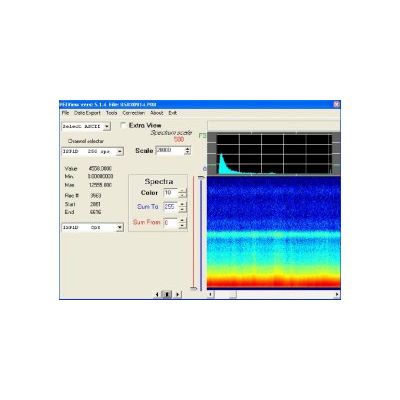
PEIView - Data Viewer and Quality Control Tool
Data Viewer and Quality Control Tool Provides fast data verification for PEI binary data format files. Converts PEI binary data into ASCII format for use with standard data base programs. Converts PEI binary data into Geosoft GBN format for use with OASIS-MONTAJ data processing software. Simple data correction / editing. Magnetic compensation (compensation co-efficient files must already be created). Data import from ASCII format into PEI binary data format.
Spectrum channels can be shown in either trace or colour coded presentation. There is provision to generate a new graph (spectrum segment) that shows the sum for the spectral window by setting an upper and/or lower limit for the segment.
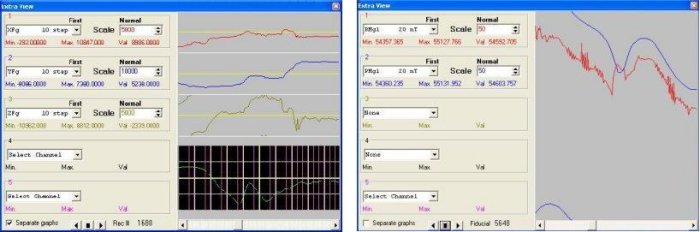
Any binary data channel can be presented as an analog type trace. If the sampling rate is greater than once per second, all samples for each one second record can be displayed in an additional window. Various functions can be applied to each channel of data for quality control:
- sum,
- average,
- minimum and maximum for a second,
- first and fourth digital derivative,
- gradient;
- vector for three fluxgate magnetometer channels.
PEIView allows the export of PEI binary data files into ASCII and Geosoft GBN format files. Data selection can be made by record range or by line number. The program allows fast group export into Geosoft GBN format for binary files that have similar data structure.
A data file in ASCII format and with appropriate column structure can be imported into PEI binary data format and then newly created data file can be viewed with PEIView program.
Data file copy can be made using PEIView. The user can select the desired channels and record range from the source file and save them into a new file. This option is useful if for example, the `end of file` was not recorded accurately. This allows the user to save a copy of a file without corrupt records, and without any modifications to the source file.
NEW PEIDataViewer provides an improved way for post mission viewing, quality control and analysis of PEI`s binary data files, also allows simultanious viewing of spectral and chart data and provides some algorithms for simple data editing and
The program has a magnetic compensation option. Providing a coefficient file for magnetic compensation has to be already prepared. (coefficient file can be created with PEIComp program) After magnetic compensation is applied to magnetometer data a compensated file is created. It contains all channels from the source file and newly created compensated data channels. This file can be viewed with PEIView program; raw and compensated magnetometer data graphs can be compared.