


BIS Safety Software - Canada
- Home
- Companies
- BIS Safety Software - Canada
- Software
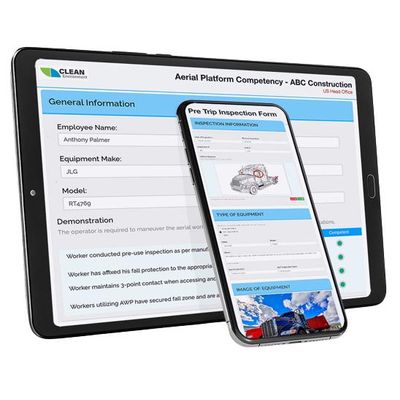
- BIS - Digital Safety Forms Software
BIS - Digital Safety Forms Software
You can use digital forms to help improve efficiency, save paper, and improve workflows.
Most popular related searches
inspection system
incident investigation
risk assessment
safety software
safety can
risk audit
site assessment
maintenance inspection
Use digital forms for:
- Onboarding Documents
- Tax Forms
- Pre-Trip Inspections
- Equipment Maintenance Forms
- Incident Investigations
- Field Level Risk Assessments
- Site Audit Forms
- And More
Online Safety Forms & Assessments
Online and Offline Mobile Capability
Our easy-to-customize mobile safety forms are the perfect way to collect any kind of data in the field. It uses intuitive drag-and-drop technology, enabling companies to easily create and manage a large number of forms online. Anything you could write down can be done digitally. The software then can pull the required information for any assessment you’re doing. No more digging through filing cabinets and crunching numbers.
Why Digital Forms?
Every year, numerous companies in the UK require their employees to complete countless paper forms, resulting in difficulties in finding electronic storage solutions and bearing the cost of data entry. However, what if there was a single straightforward program that could eliminate most of these administrative expenses?
With a responsive and secure webpage, users can conveniently fill out forms using any smartphone or tablet. This program instantly tracks the entered data and allows users to seamlessly upload images, notes, and even videos directly from their mobile devices. All the completed forms can be accessed online and printed in a .pdf format, and the data can be exported to Excel for analysis and identifying trends.
Furthermore, mobile safety forms can still be utilized and accessed even without an internet connection. Any modifications made offline will be synchronized once an internet connection is regained. A working internet connection is required the first time using an app but after initial set-up–and even with no internet–users can continue filling out forms, and the data will synchronize upon reconnection as long as the browser is not closed or the phone is not shut down.