


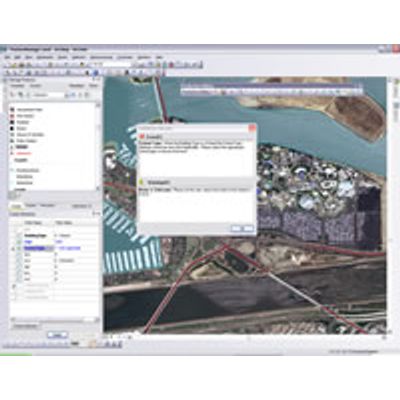
Esri Production Mapping
Esri Production Mapping helps organizations that produce authoritative geospatial content achieve economies of scale by managing and publishing accurate GIS data and cartographic products with fewer resources. With Esri Production Mapping, you can provide a shared work environment for teams of any size to improve the quality and value of geospatial data and cartographic products through standardization, repeatability, and configuration of your production processes.
With Esri Production Mapping, you can
- Centralize GIS workflow creation and management to ensure consistency across operations.
- Enhance user productivity by standardizing feature collection and validation, cartography, workflows, and data management.
- Streamline database development with additional templates, construction tools, and on-the-fly feature attribution and validation.
- Implement an efficient and consistent review process by automating tasks for spatial data quality control.
- Standardize and centralize detailed cartographic production with tools for creating and maintaining derived data, symbology, page elements, and maps.
Esri Production Mapping comprises components used for data loading, data editing, quality control, data maintenance, and cartographic production. Some of the key features and tools included in Esri Production Mapping are:
Data Production Tools
- Provide a repeatable way to batch load data into a geodatabase via the data load automation tools. It uses a cross-reference database to direct how the source data is loaded into the data schema for your current project.
- Maximize usability and utility for your data production environment with additional templates and new construction tools. Use a variety of single-click editing tools and on-the-fly feature validation to enhance productivity and data quality.
- Standardize cartographic production with tools to batch create, print, and export cartographic products. Elements such as text, tables, and legends can be dynamically updated and placed based on the data in the map.
Data Management Tools
- Use a complete QA/QC system with tools for automated and visual review processes to assess, document, correct, and verify the overall quality of spatial data.
- Store data and map information in the Product Library with the ability to check out files and check in the changes, search for files, manage versions, and set permissions.
- Customize the solution to meet your needs and allow for implementation of your organization`s specifications and business logic. Users can customize data validation rules, feature symbology, data representations, and batch jobs.
Workflow Management Tools
- Streamline your production workflow with tools for allocating resources and tracking the status and progress of jobs. A history of job actions is automatically recorded for each job to give managers a detailed account of how the job was completed.
- Conduct micro-level workflow management using the Task Assistant Manager (TAM) to configure and distribute workflows that guide users through defined processes within ArcMap. The steps in a TAM workflow can be used to execute ArcMap commands or geoprocessing tools and set layer properties such as visibility and snapping.