


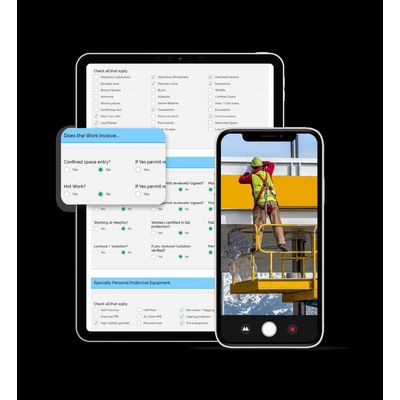
Field Level Hazard Assessment Software
It is critical to the health and safety of your workforce that employees perform hazard assessments before work begins on work sites. Whether you call them Field Level Risk Assessments (FLRAs) or Field Level Hazard Assessments (FLHAs), these routines help your workers identify and evaluate hazards in the workplace. FLHAs also help employees consider and choose proper hazard controls to reduce or eliminate potential hazards. However, if your company has not yet made its assessments digital, you may be dealing with the inconvenience of bringing paperwork, clipboards, and writing utensils to and from work sites. Get rid of that hassle and move your forms online. Digital forms can be completed with any Internet-connected smartphone or tablet. Plus, digital forms provide you with instant reporting details, trending data, and updates on important safety issues. But that’s just the beginning…
With our hazard assessment software, you can customize your hazard identification checklists. Use our form builder technology to include special form features like:
Checkboxes
Build a detailed checklist of common hazards found at a work site, then have workers check off the hazards that are present during the FLHA. To be alerted to severe hazards, you can program notifications to supervisors when certain checkboxes are selected.
Capture Images & Video
Allow workers to upload images and videos to their hazard assessments so you can examine the situation without having to the form itself, giving workers details or explanations for the assessment.
Dropdown Lists
Keep the forms clean by having workers select a task in a drop-down menu. Once the user chooses an option from the drop-down, a customized checklist for that specific task will appear below. You also have the option to use identical checklists for each item in your drop-down menu.
Open Text Fields
Create open text fields on your forms so workers can make notes about the hazards and controls. This feature is also good for having workers create their own checklists in the form, and they can automatically assign a supervisor to review the assessment afterward.
Document Uploader
Uploading a document to your form is simple on any device, using the drag-and-drop feature. Workers can also upload with the camera on their smartphone or tablet.
Rating Scales
Streamline your risk analysis process with ratings for hazard probability, severity, and frequency on the assessment form. After a form is submitted, the hazard assessment software will generate an automated report that ranks the risk levels and prioritizes hazards.
Customizable Required Fields
With BIStrainer.you have the ability to customize required fields in the assessment forms. For example, if a specific hazard is identified, you can create additional checkboxes for specialized PPE, safety equipment, etc. If the items are not checked off during the assessment, the form can be flagged for a supervisor.
Reporting Dashboards
The BIStrainer software includes a number of rich reporting dashboards that visualize the data from all of your digita forms, including the FLHAs. Customize your dashboard to see high-level or granular FLHA reporting.
Electronic Signatures
Use the software`s electronic signature capability so workers can sign off on their hazard assessments. The form can then be assigned to a supervisor upon completion, at which time you can require another electronic signature.
Reporting Dashboards
The BIStrainer software includes a number of rich reporting dashboards that visualize the data from all of your digital forms, including the FLHAs. Customize your dashboard to see high-level or granular FLHA reporting.
Electronic Signatures
Use the software`s electronic signature capability so workers can sign off on their hazard assessments. The form can then be assigned to a supervisor upon completion, at which time you can require another electronic signature.
Excel Reporting
Your FLHA reports are informative, accessible, and user-friendly in Excel spreadsheet format. The reports include trending data so you can keep an eye on reappearing hazards, allowing you to build better mitigation plans. Reports are also available in PDF format for added convenience.
Cloud Storage
You’ll never have to worry about where or how to access completed forms ever again. All forms are stored on our secure, cloud-based server, and you can access every completed hazard assessment on any online device.
Automatic Assignment
Assigning forms takes just a few clicks of a button. Assign specific forms by user role, location, equipment, or even individual, then sit back while the software delivers the forms to the right people.
Instant Submission
No more chasing down hazard assessments. The second a worker hits “Submit,” the form is uploaded and ready for review.
Paperless Record
Are your administrative costs too high? It’s time to go paperless. Save money and time, and make document organization a breeze.
Escalated Notifications
You already know that you can notify supervisors with certain responses and fields, but the hazard assessment software’s notification capabilities go beyond that. With escalated notifications, you can assign individuals to follow up on forms if the supervisor has not taken action after a specified length of time.