


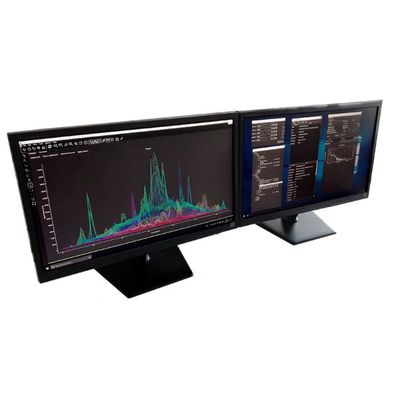
HDIP LA-ICP-MS - Image Processing Software
The most powerful LA-ICP-MS imaging software on the market today; Fully Automated Image Optimization for Highest Resolution and Sensitivity. Autopilot One-Click Image Generation. Natively Accepts All Major ICP-MS File Formats.
HDIP (HDF-based Image Processing) is a software platform designed to process imaging data stored in the HDF5 format. HDF5 is a popular, efficient, highly versatile format for storing large volumes of data in a variety of scientific fields.
The platform has a special toolkit specifically designed to process transient mass spectrometry data, with a specific emphasis on laser ablation-inductively coupled plasma-mass spectrometry (LA-ICP-MS) imaging. This toolkit allows users to process complex LA-ICP-MS datasets in a reliable, transparent, and consistent manner in a matter of minutes.
Basic and advanced algorithms are provided to process the data, and 2D and 3D data visualization and inspections tools enable the user to investigate the data in-depth. HDIP can export the results in publication-quality figures, animations, and many data formats. The platform was built from the ground up, and does not rely on third party frameworks like MATLAB or Igor Pro. Because the data format upon which the library can be readily inspected by many 3rd party tools, your data and meta-data is kept intact in a future-proof, self-describing, safe container.
- Data import: Data can be imported from a broad range of LA-ICP-MS instrumentation and other microscopy techniques.
- Project-based data structure: data and metadata, including images, are stored in an open format HDF5 file.
- Automatic raw data backup
- Data export
- Streamlined image reconstruction and LaserTrace analysis
- AutoPilot: fully automated image reconstruction.
- Preview: inspect your data intermittently during a run
- Optimize: predict the settings of your ICP-MS prior to mapping
- Specialized data reduction methods
- Advanced background correction methods
- Drift correction based on bracketing
- Data restoration approaches: convolution, deconvolution and denoising
- Advanced false color map editor
- 3D viewer
- 3D image reconstruction by 2D slice registration
- Manual and automated voxel selection
- Multi-standard external calibration with internal standardization
- Multivariate data analysis
- Binary Masking
- Image filtering
- Manual/Automatic peak integration and peak analysis
- Outlier rejection
- Channel calculator.
- Matrix transforms: arrays can be cropped, expanded, rotated, transposed, scaled, flipped,…
- Spreadsheet tool