


Sabio Environmental
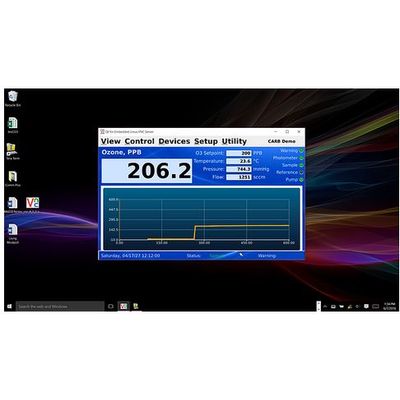
Sabio - Intuitive Interface Software
Standard for all 6000 Series Analyzers and the Model 2030 Reference Standard. The Sabio Intuitive Interface Software utilizes easy to use menu-driven software system, similar to that used by a desktop PC. As shown in the figures below there is a menu bar at the top of the Main Screen with several choices that allow the user to select various operations, drop-down and sub-menus for specific functions. View and control your instrument data remotely on your desktop, laptop, pad, or smartphone by downloading the free application.
Most popular related searches

- Manage the instrument remotely from your desktop, pad, or phone
- Menu Driven interface
- Create unique identifiers for each instrument
- Graph in real time
- Example of Manual Calibration Screen and Data with graph
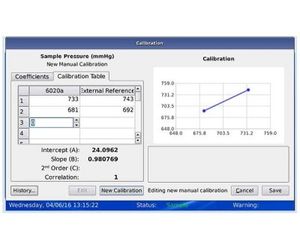

- Example of Instrument Status Screen
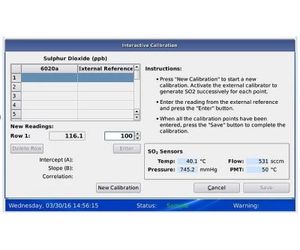
- Example of Interactive Calibration Screen with on-screen instructions
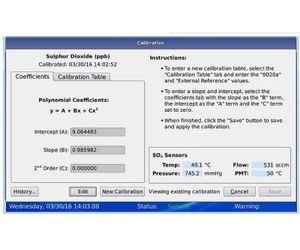
- Example of Calibration Screen Data with on-screen instructions