

- Home
- Companies
- ItemTracker Software Ltd.
- Software
- ItemTracker - Laboratory Sample ...
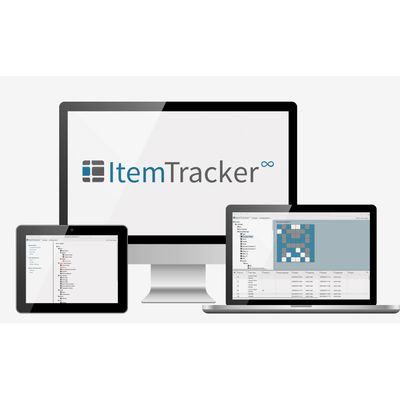
ItemTracker - Laboratory Sample Management Software
ItemTracker is a complete laboratory sample management software solution which visually manages your samples, sample sources and storage area. ItemTracker does everything you would expect including full auditing, bar coding, sample scanning and much more...
Dynamic Display.
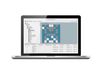
See your items mapped visually. The items window intuitively displays the boxes you`re viewing.
Highly Configurable
No two customers are the same. As such, ItemTracker offers infinite configurability to perfectly match your lab, your workflow and your requirements. This allows you to spend less time managing users and more time on the science.
Visualise Your Storage
ItemTracker maps your storage so you can visually track your samples. Save valuable time by easily retrieving items and their location in an instant.
Full Barcode Integration
Scan and store your samples. A number of functions are integrated to allow you to perform actions simply by scanning an items barcode.
Manage Group Privileges
Assign privilages and set team leaders. Users will only have access to the samples, storage and functionality you wish them to.
Web-Enabled App
Easy remote installation and system updates across your site. View the program in your web browser. Secure system; manage user group privileges with ease.
ItemTracking Made Simple
Ancestry Is Easy
Maintain a complete history of your samples and the ancestry through to child samples and aliquots.
Elementary Import and Export
Import complete records directly from Microsoft Excel. Exports complete records at the touch of a button.
Integrated Auditing
Demonstrate a clear audit trail for your samples at the click of a button.
ItemTracker allows you to create an unlimited hierarchy of different item types. For each item type created fields can be added to record the information you want to track.
Each field you create can then be configured to restrict, for example, what type of data can be set for the field e.g. text, numeric, yes/no, document or data. You can also set default values or require a user to have to pick a value from a pre-defined list.
You can also create rules to ensure correct values are entered. These rules can contain any combination of fields and even set whether a field is shown or not, depending on the value or values in other fields.
Once the hierarchy of item types and properties has been established you are ready to create samples. Samples can be created either un-stored (in the items (samples) table) or stored (in the map area). Samples can easily be created, either individually or in batches.
Every change you subsequently make to your items is tracked. This helps make for a fully audited sample tracking solution.
The Items (samples) search window allows you to search for both stored and un-stored samples. It provides filters detailing every field created for both owners and items. This allows you to view only the samples that you are interested in.
Once the filters have been applied, you can display in the items table just the columns of information that are relevant. This makes it easy to produce customised reports.
To ensure complete traceability of every individual sample, each sample is automatically assigned its own unique number (the item ID value). This is true even if the sample came from the same source material. Full audit details are kept on who has done what to which item from where and when.
As well as searching for a current item, you can also search including historic records and deleted items. Once the samples matching the search criteria have been retrieved, the complete history can be viewed in the item history window.
The ItemTracker Map provides the functionality to replicate any storage system.
As well as displaying the path to where containers (boxes) are stored, it also shows you where exactly in a certain container specific samples (or samples for a specific owner) are located. This is achieved using a map which allows containers of any shape and size and with any labelling to be created.
As well as displaying where your samples are located, you can see at a glance which containers have available space. ItemTracker also provides a reporting window to summarise just how many samples or how much space is within a specific storage area part.
Selected maps can be printed out which can be useful for when you go to your physical storage area or for auditing purposes.
You can also set different parts of your storage system to accept certain item types. This has many benefits including helping prevent cross contamination, reserving a part of the storage system for a specific project or even preventing some users from viewing some parts of the storage system.
Every sample can be configured to have an owner (or owners) on whose behalf you are storing the sample. This may be a patient, another establishment, researcher or anything you want to associate the samples with. As with item types, properties are configured to hold information about an owner you wish to track.
As in the Items window, there is a search window displaying all the fields, both system and user defined. You type into the filter grid fields, specific details about the owners you want to display. Once you have entered all the details, clicking search will return the matching owners.
From the Owner window, you can easily call up the Items window to show all of the selected owner’s samples.
To make ItemTracker complete it incorporates advanced functionality such as bar-coding, document scanning, mail merge, import/export and much more.
Functionality is provided to interact with items, owners and storage including searching, printing, pick-lists and auditing.
As well as for samples, barcodes can also be printed for storage parts, owners and documents. Using barcodes make for quick retrieval as well as for both moving samples around and returning them into storage.
Data Import and Export are both important parts of ItemTracker. Import allows information to be easily transferred from other applications into ItemTracker. This is especially helpful in the beginning, when first starting to use ItemTracker.
Export is useful when you want to work with the data in other applications e.g. Microsoft Excel or Word.
ItemTracker has simple document handling built in. This allows you to attach a document, either existing or new and either text or image to a sample, owner or storage part.
Functionality is also provided to perform mail merges. This allows you to set up a document template and then print it using the selected entity e.g. samples. The printed document can then be saved against the entity and is available for later viewing.
One of the core purposes of ItemTracker is to keep a history trail on all samples, owners and storage parts. ItemTracker allows you to view a complete history trail at any time showing who has done what to which entity, from where and when.
ItemTracker also facilitates the recording of item audit records; the audit date, Item ID values, user name, audit results and comments are recorded.
As ItemTracker is used predominantly in multi user environments, it is essential to be able to configure users’ access rights. This is achieved by creating user groups and assigning users to the groups. Multi user access rights are then set at the user group level, and inherited by all the users within the group. A user can be in multiple groups and would then obtain rights from each group.
User Access is completely customisable. This includes limiting user groups (and hence users) to which fields can be modified or viewed, which Item Types and storage areas they have access to and which Owner Types can be modified or viewed.
To ensure an accurate audit log, every user of ItemTracker is assigned their own unique log-in details. As a result, all user actions are tracked.
As well as restricting a user’s access to certain item types or storage areas, users can reserve any item or location to prevent others from changing. A user can change any entity they have access to and that isn’t locked to another user or group.
ItemTracker is used today around the world in all life science disciplines across clinical and research establishments from a single laboratory through to multiple sites for many applications, including clinical trials in particular.
It is highly flexible allowing all storage situations and sample types to be replicated, no matter how complex.
Laboratory productivity is enhanced by the fast retrieval of complete sample information including location, properties and source. As well as being highly configurable, ItemTracker fully supports bar-coding, data import/export and other functionality leading to time savings by reducing the requirement for manual data entry.
ItemTracker is ideal for replacing hand written systems and labour intensive manual methods. It has been designed to help laboratories comply with regulations concerning the removal, storage and use of human tissue.
We have worked closely with licensed establishments that are required to maintain proper records and demonstrate consent, audit trail & traceability e.g. European Directive 2004/23/EC – Human Tissue Act. We have experience in assisting with compliance of US FDA 21 CFR Part 11 regulations.
ItemTracker can be used for applications including regional, national and even global monitoring of samples. It can monitor sample movement from laboratory to laboratory in multi-centred locations. This can be done, whether or not there is a network between the sites.
It has been deployed across all disciplines including monitoring information on bio-specimens in Bio banking/Bio repositories, clinical trials and Pathology Modernisation.