

Broughton Software
  1. Companies & Suppliers
  2. Downloads
  3. CW700, CW1000, CW1200 Data Sheet

LabHQ LIMSLaboratory Information Management System

SHARE

LabHQ LIMS is a Laboratory Information Management System (LIMS) that helps you manage your Quality Control data easily and efficiently. Store, process, report and analyse your QC data in a secure electronic environment. Our LIMS software deploys with a quick-install application and also offers web-browser access, providing users with secure and flexible access to their laboratory test data.

Most popular related searches
  • Happy Users
    LabHQ’s configurable and intuitive interface guides you through the workflow steps with minimal clicks, ensuring an easy to use system that will streamline your laboratory processes.
  • Easy Administration
    Data administration is simple. Products, specifications, test methods and user accounts are all easily set-up and managed. You can even generate your own reports via our Custom reporting function.
  • Save Money
    Automate and optimise sample processing activities. Reduce time consuming, mundane activities and reallocate your team to high value generating activities.
  • Trending Reports
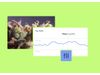
    Generate data trending reports at the click of a button – monitor and identify out-of-trend test results and act before they turn into costly production corrections.

LabHQ is a robust LIMS featuring import/export options, audit trails, and secure cloud access.

  • Reduce Paperwork:  Say good-bye to time and space consuming paperwork, and say hello to your electronic data storage with LabHQ LIMS.
  • Easy to use:  The intuitive icon based user interface is designed for simplicy of use for all user types.
  • Secure Hosting:  Lock down your data with our secure hosting.  Our experts manage your data security so you can concentrate on serving your clients.
  • Increase Productivity:  Reduce time spent on sample processing and manual data calculations, and start putting meaning behind your test result through easy data trending and reporting. Our clients are enjoying time and cost savings of up to 75% in sample processing tasks with additional benefits in production via simple interpretation of sample test data.
  • Quality Assurance:  Reduce the risk of transcription errors and highlight out of specification results so you can easily investigate and maintain control over your data.
  • On the go:  Don’t be stuck to your desk! Access your data securely our LIMS wherever you have an internet connection.
SAMPLE, INVENTORY AND DATA MANAGEMENT
  • Customizable FieldsCreate fields to record data additional to default fields. They come in the form of string, numeric, date/time, static and list.
  • Event SchedulingSchedule events such as equipment maintenance or calibration.
  • Export DataData generated for reports can be exported to PDF or Excel, giving you full flexibility to manipulate your data.
  • IntegrationLabHQ can integrate with 3rd party software such as ELN or ERP systems.
  • Multiple ViewsYour data can viewed in multiple ways with our custom reporting tool. Data can be presented in tables, charts and graphs.
  • Sample BatchingGroup samples that relate to a batch from production to give you full traceability of all batch-related data.
  • Sample ManagementStore sample-related information and generate unique and sequential sample IDs.
  • Sample TrackingEasily find the location of your samples or who has responsibility.
  • SearchabilityIn-app searchability on all sample data or upgrade to ODBC for advanced query capability.
  • Tabular Results EntryA spreadsheet style, familiar to users, makes data entry quick and easy.
  • Task ManagementSchedule, allocate and re-allocate work to analysts.
  • Trend AnalysisTrend and analyse your data using our custom reporting tool.
  • Turnaround TimesTrack contracted and scheduled completion dates for sample analysis so that you meet client deadlines.
PROJECT AND/OR TASK MANAGEMENT
  • Customer ManagementStore and manage contact information of your customers.
  • Inventory ManagementTrack inventory from reagents to glassware. You can also create alerts for low levels of stock so that you never run out.
  • Project and/or Task ManagementSchedule, allocate and re-allocate work to analysts.
  • SpecificationsCreate target, upper and lower limits and manage specifications that can be applied to sample analysis.
  • Supplier ManagementStore and manage contact information of your suppliers.
  • WorkflowsCreate and customise sequential steps to meet your sample analysis process.
QUALITY, SECURITY, AND COMPLIANCE
  • Audit TrailIncrease security by recording changes made to a file/database including the operator code, time stamp and location ID.
  • Automatic Data BackupIncrease reliablity and security of data by storing it in an additional backup file.
  • Chain of CustodyAs with audit trail, mainain a robust and accurate COC by recording information like user ID and time stamp.
  • Configurable RolesAllow flexible access levels dependent on your role enabling progression of responsibility through the company.
  • Data EncryptionProtect data by making it unreadable in the case of interception.
  • Data ValidationConfirm that existing data meets the standards of any data management process in the LIMS.
  • E-signaturesCompliant to 21 CFR Part 11, LabHQ LIMS unambiguously links electronic records with their associated electronic signature.
  • QA ChecksMaintain a level of quality and ensure the output of consistent data/products in and out of the lab.
  • Regulatory CompliantFeatures that are compliant with 21 CFR Part 11 electronic records and signatures.
  • Version ControlPreserve data integrity by creating a new modifiable piece of data.
  • Instrument IntegrationSeamless data transfer from equipment to LabHQ LIMS to automatically import test results.
REPORTING, BARCODING, AND PRINTING
  • Barcode SupportIncrease accuracy of data input and room for human-readable information on a label
  • Custom ReportingCustomise reports in order to gain a clear picture of collected data and potential trends.
  • EmailsIntegrate with and use Email to send reports, alerts, and more via manual input, automatically, and/or at scheduled intervals.
  • Export to PDFCollect and save information into a Portable Document Format.
  • Label SupportDesign and print labels directly from the software identifying information such as batch number and sample number to optimise sample management.
  • Report PrintingPrint reports and other materials.
BASE FUNCTIONALITY
  • Administrator ManagementAllows you to set up the LIMS most optimally for your lab. 
  • AlertsReceive notifications to maintain a high quality within the lab (enviromental conditions, maintenance of equipment, etc).
  • DashboardGet a quick overview of outstanding work and sample progress with a dashboard view of your data.
  • External MonitoringAllow clients outside the lab to monitor the status of batches, test results and more via the web portal.
  • Mobile AccessibleRead-only data from the web portal is accessible on portable mobile devices for you to retrieve on the move or when not in the lab.
  • Online HelpAccess to web-based user guides and online technical support.
  • Web PortalSecure and read-only access to test results and reports via a web-browser.

Easily manage your laboratory stock inventory through the LabHQ Stock Management Module. By providing you with the ability to electronically receive and consume stock, LabHQ can display your latest stock inventory to all users of the system.

  • The Stock Management module integrates seamlessly with LabHQ, allowing inventory tracking. Easily view stock levels and status.
  • Track stock from reagents to consumables and be notified when stock is low or past its expiration date.
  • Ensure regulatory compliance by capturing which batch of stock is used in a test in the audit trail.
  • Generate stock labels.
  • Allows the option to test stock to confirm its compliance before use in the lab.

With the Equipment Maintenance Module you can track equipment status, schedule calibration and capture information on equipment used in specific tests.

  • The Equipment Maintenance module tracks equipment status and captures its use in sample test audit trails.
  • Integrated with LabHQ, the module allows users to create maintenance or calibration schedules and analyse equipment in relation to test results for laboratory investigations as required.
  • Print labels to notify personnel that a given piece of equipment is not in service.
  • Generate service history reports to monitor and manage equipment performance.

Effective stability study management is vital to ensure ongoing product integrity and safety.

Learn how the LabHQ LIMS Stability Study Management module can reduce the amount of time you spend doing administrative work.

  • The Stability Study Management module creates stability study protocols. Easily Input details regarding the product, storage conditions, time-points, testing regimes, and the number of samples stored.
  • Set up templates and use them to easily manage your routine studies.
  • The module integrates with LabHQ LIMS so when the user pulls samples from storage, the samples are submitted automatically to begin the testing lifecycle. Product specifications are automatically linked with protocols.
  • Easily view scheduled time-points.
  • Alerts and e-mail notifications ensure that time-points are not missed and the user remains compliant as stability studies can last up to five years.
  • Easily trend data via the trending report function.