


- Home
- Companies
- NovoTech Software
- Software
- NovoTech - Log Drafting & Lab. Testing ...
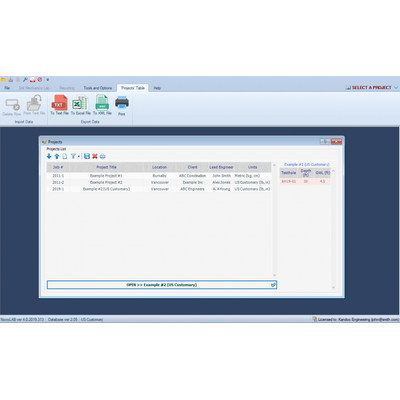
NovoTech - Log Drafting & Lab. Testing Software
Borehole Log Drafting & Soil Lab. Testing Software – NovoLAB. Do you want to manage your soil tests and borehole log drafting by a single software? NovoLAB helps you process lab test data, draft your borehole logs and prepare eye-catching, professional reports. You can quickly set up a borehole or test pit in NovoLAB and start entering your field notes into a ‘smart’ log. NovoLAB will design and draw the boring log for you; In addition, it loads all the test results for each soil samples from your project database, and brings them into the log.
NovoLAB covers various drilling methods such as auger, mud-rotary, wash-boring, Sonic, etc. Different sampling method such as disturbed, undisturbed, shelby, core, etc. are supported. You will be able to define the type of each soil layer from a library of Unified Soil Classification System (USCS) or AASHTO classification and show corresponding hatch on the log.
AASHTO and USCS soil classifications for a soil sample will be determined by NovoLAB when sieve test data is entered. Explore the extensive features of NovoLAB and download a trial version today.
If you have UTM coordinates of your boreholes, NovoLAB generates a Google Earth model (KML file) that contains the locations of the boreholes, plus detailed log information about each borehole. This KML file can be imported to ArcGIS. Please download the sample KML file generated by NovoLAB.
Borehole Logs
NovoLAB log drafting module is fully automatic. Here are the steps to create a boring log with NovoLAB:
- Enter laboratory tests data for each sample (if available)
- Enter soil layers for each borehole (from your field notes)
- Click on ‘Generate Borehole Log’ button!
The software automatically brings all field data and lab. test results and inserts them in the borehole log. User can design the log and specify how the soil stratigraphy, test data, the SPT/DCPT plots are shown on the log.
Flexible Log TemplateNovoLAB comes with a default log template. But, there is no limitation on the design of your borehole logs! You can use NovoLAB log designer to add/remove columns from the log, adjust column width, choose paper sizes (Letter/Ledger sizes, and A4/A3 sizes).
The log may be designed in both Portrait and Landscape orientations.
Once the log template is completed, your next log will use that template for any report.
Log ReportYou will see a preview of your borehole log. The log may be printed, or saved as PDF file for inclusion in your geotechnical report.
Sieve Test
This is the most common soil test in a soil mechanics laboratory. NovoLAB covers all sieve sizes. You can also enter hydrometer test data. If Atterberg Limits test is carried out on a sample, then LL, PL and PI will be automatically loaded into sieve test page.
Soil classification will be presented for both Unified Soil Classification System (USCS) and AASHTO classification system. When it comes to reporting, you can place 1 to 5 test results on one page.
Do you use specific sieves in your lab.? You can select your favourite set of sieves so that only those sieves will be shown on sieve test page. This will make data entry much easier!Gradation limit curves? Yes, we have it; you can specify upper and lower limit curves to be shown on sieve test report.
Permeability Tests (lab. & field)NovoLAB covers a variety of permeability tests. This includes laboratory tests (falling head, constant head) and field permeability tests such as portable permeometer or any type of pump test, etc. In the latter case, you enter the test results into NovoLAB and it will be presented in the borehole log. For falling head or constant head, details of lab. test are entered on this page and the program will calculate the coefficient of hydraulic conductivity (K).
Triaxial Compression TestThis test is mainly done on clay and silty samples to obtain the internal friction angle and cohesion of the undisturbed soil samples. NovoLAB analyzes the following triaxial tests:
- Unconsolidated Undrained (UU)
- Consolidated Undrained (CU)
- Consolidated Drained (CD)
The triaxial report prepared by NovoLAB includes the following:
- Sample Info. & Test Results (Su)
- Deviator Stress vs Axial Strain Graph
- Shear Stress vs Normal Stress Graph
Lab. Testing Features
Using NovoLAB you can process various laboratory soil tests. The program automatically carries out all the calculation and presents eye-catching test reports. NovoLAB covers the following soil laboratory tests:
- Sieve Test (gradation)
- Atterberg Limits Test (LL & PL)
- Moisture Content and Density Determination Test
- Field Density test
- Soil Chemical Test
- Permeability Test (falling head, constant head, etc.)
- Direct Shear Test
- Triaxial Compression Test
- Unconfined Compression Test
- Compaction test (proctor)
- 1-D Consolidation Test
You can enter the following field test results in the log:
- Standard Penetration Test (SPT)
- Dynamic Cone Penetration Test (DCP / DCPT)
- WildCat Penetrometer Test / Any Other Type of Handheld DCP
- Cone Penetration Test Results (CPT)
- Any other test results, as you want to show on the logs
Processing Liquid Limit (LL) and Plastic Limit (PL) tests cannot be easier! Enter any number of test data in NovoLAB and LL / PL and PI will be calculated automatically.
Moisture Content & Density Determination TestThese tests are among the most common tests in a geotechnical investigation.
- This test is used to measure the internal friction angle and cohesion of soils.
- NovoLAB covers both square and circular shear boxes; There is no limitation on the box size and user can enter any size.
- Software has the option to calculate the effective contact area to modify the calculated shear and normal stresses.
The unconfined compression test is mainly done on clay and silty samples with the purpose of estimation of the undrained shear strength (Su) of the undisturbed soil samples.
Compaction TestNovoLAB covers both Standard and Modified AASHTO and ASTM test methods. Moisture-density curve for various specific gravity (Gs) values, optimum moisture content and maximum dry density are calculated and presented in the compaction test report.
NovoLAB accepts unlimited cycles and unlimited number of vertical loads for 1D consolidation test. The software provides pre-consolidation stress (Pc), compression index (Cc) and re-compression index (Cs).