


MANTECH Inc.
- Home
- Companies
- MANTECH Inc.
- Software
- MANTECH - Version Pro - Autotitration ...
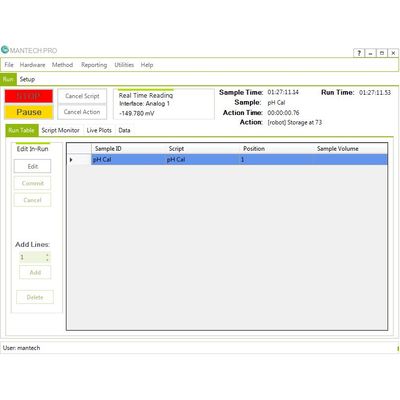
MANTECH - Version Pro -Autotitration Software
FromMANTECH Inc.
Optimized for Windows 10. Full Import/Export LIMS Capability. Priority Samples in Real Time. Live View of Titration Plots, Meter and Probe Readings. User Accounts Tagged to Every Sample. Direct Hardware to Computer Connection for Independent Testing.
Most popular related searches
- Installation of Software is Fast and Straightforward.
- Both MANTECH Pro and PC-Titrate can operate on the same computer with the same hardware
- Requires PC-1000-1040 model buret
- Makes transition from PC-Titrate to MANTECH Pro easy and risk-free
- Calibration Curve Updates in Real Time as Standards are Measured
- Easy Database Sharing and Management
- Script actions or shortcuts can be used to link to files or webpages, including training videos or user manuals.
- Alerts can be setup to send over email or text message.
- Run errors will be explained and highlighted within the script actions, making it easy to troubleshoot any issues.
- Before a run, the hardware that will be used for that run is homed without the need for a script action. The run does not start if the hardware is not connected.
- Search function makes it easy to find specific scripts and subscripts.
- During a run, MANTECH Pro can still be used for other functions, like writing a new script, loading a calibration method, or viewing past runs.
- Titration stopping criteria can be changed, saved, and applied to the current run without interruptions.
- Reporting is based off of the most recent run. The search data function can be used to easily find sample details, and data can be saved from the reporting tab if a hard copy is lost.
- MANTECH Pro will automatically perform Meter Calibrations without requiring the USER to interact with the meter.
- MANTECH Pro is easy to install and to update when newer versions are released.
- Windows Update is not required to be disabled.
- Virtualizing file and registry in User Account Control no longer needs to be disabled.
- The database is simpler to manage as it is one file to transfer. No need to worry about zipping a database together for emails.
- The database is compatible to Windows 10 computers.
- Setting up the hardware and checking connections is easy in MANTECH Pro. Buret connections and IP addresses can be checked during hardware setup.
- Connections are set to the computer directly for independent functioning and testing.
- Manual control can be isolated for each piece of hardware.
- Shortcuts in MANTECH Pro are customizable. You can upload your own images and organize them under different headings. Changes to saved shortcuts can be done directly on the run table.
- Changes made to subscripts are applied globally to all relevant main scripts. Subscripts can also be viewed in the main scripts in order to check changes.
- Creating a new script can be done easily, without a large learning curve. Applications are named similarly to PC-Titrate, which allows for applicable previous knowledge base from the customer.
- If the connections are not set to the same communication port, PC-Titrate and MANTECH Pro can be run on the same computer without interference.
- The database and the scripts included are customized to your specific methods and hardware. New features can be added with our software team’s expertise.