


- Home
- Companies
- Prometheus Group
- Software
- Prometheus - Version Maxavera - ...
Prometheus - Version Maxavera -Middleware Software
Transfer data in minutes using our proven off-the-shelf integration packages, configurable to support your unique data-integration needs. Maxavera provides integration between multiple ERP, EAM, CMMS, and EHS systems. It intelligently transfers all necessary information such as work orders, operations/tasks, work centers, personnel, equipment, location details, permits, and any other information to be shared between the software applications. Maxavera has preconfigured integration packs for common integration scenarios but also offers, the flexibility to integrate neariy every software available, including homegrown solutions.
Support seamless data integration to streamline planning, scheduling, work management, and financial systems.
Access data across multiple systems and increase visibility to decrease the chance of miscommunication.
Sync and automate data to support your operations and maintenance workflows and bolster large projects.
What you’re up against
- Lack of automation to support your operations and maintenance workflows
- Miscommunication due to information silos across teams
- Manually exporting and importing data is time-consuming and prone to issues
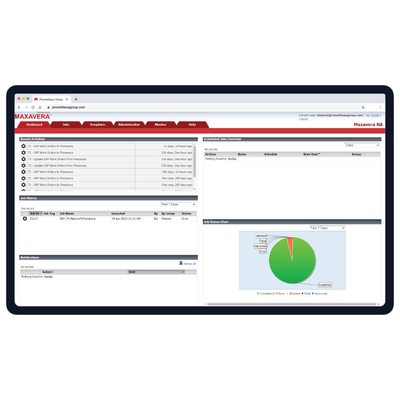
See jobs performed by individual or all users and run integration jobs without IT assistance. Easily access information like job execution date, integration parameters, and success status.
Dynamic field mapping functionality ensures that your data integration can easily accommodate changes in your business processes without the need to contact IT or Prometheus Group.
Run your own web-based user consoles or schedule jobs to run automatically with Maxavera’s hundreds of pre-mapped fields and transformation logic between popular EAM, ERP, CMMS, and scheduling software applications.
Leverage Maxavera’s certified integrations using published APIs from all major EAM, ERP, CMMS, and scheduling software applications to move data in and out of the database. Use a proven integration technology to ensure future compatibility with new software releases.
Set up emails to alert integration job owners about any warnings or errors for jobs to allow for timely troubleshooting. Schedule jobs to run frequently (10, 15, 20 minutes), less frequently (weekly or monthly), and during slower periods (2 or 3am).