

Digital Combustion - Version CommLink -Network Control Module
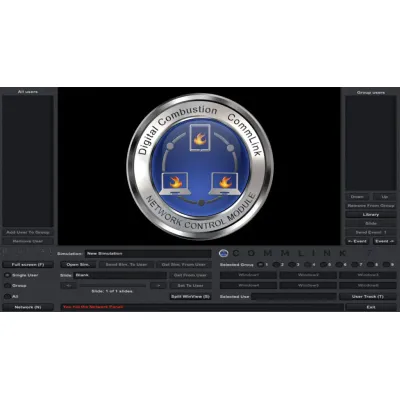
CommLink is a network control module developed by Digital Combustion designed for use with Fire Studio, allowing for seamless control over multiple devices such as computers, laptops, and iPads within a local area network. It is particularly suitable for expansive simulation setups where users require control over simulations displayed across several devices, making it ideal for training environments in fire stations and command centers. This module can facilitate the management of multiple screen views, enhancing the realism and interactivity of training simulations. It supports both Windows and Mac operating systems and is compatible with multiple editions of Fire Studio 7. The system is scalable, accommodating an increasing number of devices as organizational needs grow, and offers a one-time purchase model with no subscription fees. Thus, CommLink provides an efficient solution for managing complex simulation scenarios in educational and professional settings.
Step 1
Create your multi-view simulations in Fire Studio.
Create simulations showing multiple views of a building. This could involve front, rear, roof, interior etc.
Step 2
Load the saved simulations onto your computers or iPads.
For each computer or iPad, load a different view of the incident. The computers can physically be anywhere, as long as they are on the same network.
Step 3
Control the simulation from CommLink.
Using CommLink, you can control what each screen sees during the simulation. Make the fire worse, trigger an explosion, send a direct text message to one of the Players.