


Quentic - Processes Software Module
Create direction through a clear course of action so that each employee knows how to carry out their tasks.
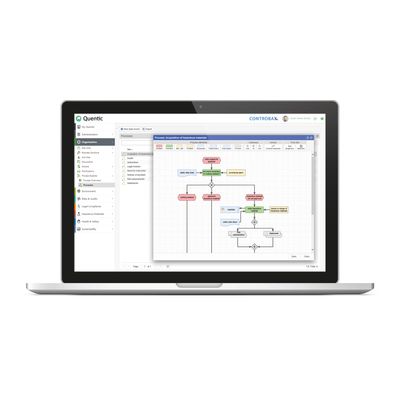
Shape all of your business processes with the Quentic Processes module. With charts you can illustrate the course of action, which means that employees only need to navigate through the individual process steps. The automatic linking of all kinds of documents is ensured, so that all objectives can be immediately put into practice.
Consistent approach
Create operation standards for employees, so that everyone is on the same wavelength.
Process flow-charts clearly show what needs to be done and when. Create them quickly and easily.
One click on the chart – and the selection procedure can be directly carried out.
Practical overviews instantly supply all of the process information that you need.
Structure company processes and create clear instruction.
Create impressive charts using standardized symbols.
All necessary process elements can be easily positioned at the click of a mouse.
With links you can embed documents, systems and data objects into your chart.
Adjust the revision control and approval of processes so they are clear and understandable.
Create an overview of process sequences and the relations between processes.
Use the quick access to navigate flexibly through all the process steps.
You and your colleagues can instantly implement process targets.