
- Home
- Companies
- Proxicast, LLC
- Software
- Proxicast - Version IPSec - VPN Client ...
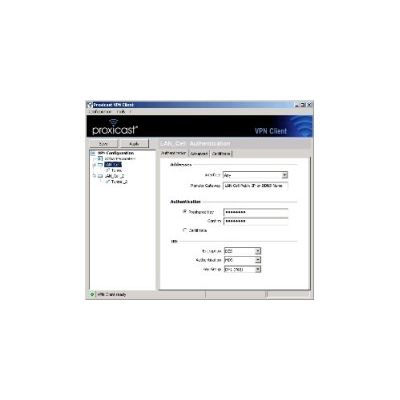
Proxicast - Version IPSec -VPN Client for Windows
The Proxicast VPN Client is a software VPN IPSec solution that allows a user to establish a secure connection to remote LAN-Cell devices over the Internet. The Proxicast VPN Client provides the most comprehensive yet easy-to-use VPN interface on the market -- setting up a VPN is no longer a painful task!
- LAN-Cell VPN Configuration Wizard
- Easy Connection Panel & System Tray Menu
- Strong Encryption (DES, 3DES, AES)
- Full PKI Support - X.509, PKCS#12, SmartCards, USB
- Dynamic IP Support at Both End-points
- NAT-Traversal, Dead-Peer Detection, Peer-to-Peer
- Admin Software Access Control (password)
- Any Connection Type: Ethernet, DSL, 3G, Wi-Fi, Dial-up
- All Windows Versions (including 32/64-bit Vista, Windows 7, and Server 2008)
- Gateways from 60+ Other Vendors Supported
The Proxicast IPSec VPN Client makes setting up a VPN tunnel to a LAN‑Cell as easy as 1-2-3.
- Start the LAN‑Cell 2`s VPN Wizard: Accept all the defaults & choose a preshared key.
- Start the VPN Client`s VPN Config Wizard: Enter the LAN-Cell`s WAN IP, LAN IP & preshared key.
- Click Open Tunnel !
Spend your time accessing your remote equipment, not trouble-shooting VPN connections.
Maximum Security + Maximum Flexibility
Support for all of the latest IPSec, IKE, PKI and encryption standards is built into the Proxicast VPN Client. Fully qualified domain name (FQDN) support allows the use of dynamic IP addresses on the Client, Gateway, or both.
Users can access detailed configuration settings and debug connection issues via a few clicks. Configuration settings can be store locally, on a network drive, or on removable USB drives to make VPN access both secure and seamless. Administrators can "lock-down" the user interface to prevent configuration changes or automate VPN tunnel creation.
VPN from Anywhere
The Proxicast VPN Client is the perfect solution for field personnel who need to access remote LAN-Cell`s while on the go from home, hotels, or Wi-Fi hotspots. It also lets you avoid the hassle of setting up a dedicated site-to-site VPN connection from your corporate network when only a few users need to access your LAN-Cell connected devices.
Not Just for LAN-Cell`s
The Proxicast VPN Client is fully IPSec standards compliant and can establish VPN tunnels with IPSec hardware and software products from over 60 other vendors including Cisco, Juniper, Microsoft, SonicWall and WatchGuard. The Proxicast IPSec VPN Client is the only VPN client software you need for secure access to all of your networks.
Fully Functional 30-Day Free Evaluation
Try the Proxicast IPSec VPN Client risk free. Download the software now and use it for 30 days. If it meets your needs, just order a license key ($89.00 per PC) from our Online Store and keep using the software without reinstalling.
Tunneling Protocol
Tunneling Protocol with full IKE support. Our IKE implementation is based on OpenBSD 3.1 (ISAKMPD), thus providing best compatibility with existing IPSec routers and gateways. Full IPSec support:
- ESP, Tunnel, Transport modes
- Main, Aggressive, Quick modes
- MD5, SHA-1 and SHA-2 hash algorithms
Strong Encryption
- DES 56 bits
- 3DES 192 bits
- AES 128, AES 192, AES 512 bits
- RSA 2048
Strong User Authentication
- PreShared keys
- X-Auth
- Diffie-Hellman Groups 1, 2, 5 and 14
- X.509 Certificates. Flexible Certificate format (PEM, PKCS12, ...) on various media (USB, smartcard, tokens)
NAT-Traversal (NAT-T)
NAT-Traversal support of Draft 1 (enhanced), Draft 2 and 3 (full implementation), IP address emulation, including:
- NAT_OA support (floating port for IKE exchange)
- NAT KeepAlive
- NAT-T in Aggressive mode
- Forced NAT-T
Connection Mode
Supports all connection types such as Ethernet, DSL, Cable, 3G Cellular, Wi-Fi and Dial-Up. Several connection modes:
- IPSec VPN Client to Gateway Mode
- Peer to Peer Mode (Incoming)
- Redundant Gateway (Fail-Over)
Networking
- Dynamic IP address support for both Client and Gateway
- Dead Peer Detection
- Multiple simultaneous tunnels
User Conveniences
- The VPN Configuration Wizard allows remote users to instantly create a VPN connection to a LAN-Cell in just 2 easy steps.
- Interactive system tray icon, status pop-ups & right-mouse menu
- Connection Status Panel
- Debug Console & Log
- Auto launch VPN Client before/after Windows logon or manually
- Auto open tunnels on start-up, traffic detection or USB stick insertion
USB Stick & Smart Card Mode
- VPN configurations and security elements (certificates, preshared key, etc.) can be saved onto a USB Memory Stick in order to remove authentication information from the computer
- Auto open/close IPSec tunnels when USB Stick inserted/removed
- Read certificates from Smart Cards (e.g. existing corporate ID card or employee cards) that carry digital credentials
Management Options
- Password protectable access to the Configuration Panel
- Can run fully invisible to users (hidden mode)
- Operates as a Windows service for use on unattended servers
- Run scripts before/after tunnel open/close
- Command line options to automate installation & launch
Supported Platforms
- Windows 2000
- Windows XP 32-bit
- Windows Server 2003 32-bit
- Windows Server 2008 32/64-bit
- Windows Vista 32/64-bit
- Windows 7 32/64-bit
- Windows 8 32/64-bit