

- Home
- Companies
- Wavefront Software, Inc.
- Software
- /Wavefront LIMS - Retesting and ...
/Wavefront LIMS - Retesting and Resampling Management Module
Many laboratories have the need to retest or resample when a result does not meet specification. Wavefront LIMS has built in features for the retesting and resampling processes making it easy to flag a result, exclude a result from total average, and add additional samples when needed.
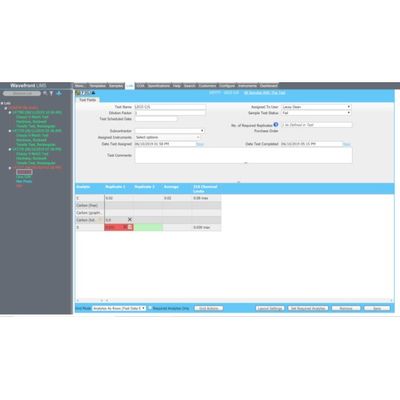
If the laboratory chooses to re-test (run an additional test on the existing sample), these results can be entered into the same grid. In the example below the first result failed spec, it was re-tested in duplicate, and the first result was excluded from average by the analyst.
LIMS user can access a “View Details” screen for each analyte where they can flag a result, exclude from average, and insert a note explaining why they are retesting.
If the analyst chooses to resample, the user would select the failing test and choose “Resample”. This would log in a new sample named the same as the first, except would be suffixed with –S1.
The test would be assigned, and the original test results would be moved to this sample. This sample serves as the repository of the original test results – results are never deleted.
Each test method would have the number of required samples defined, when a resample situation occurs. If it is ran in duplicate, it would have a value of 2, 3 if in triplicate, etc.
The analyst has complete control over which measurements are used in reporting – across the original sample and the resamples. The “-S” results, if included in average are automatically copied to the non-suffixed sample and the aggregation is done there.