

- Home
- Companies
- Rocscience
- Software
- RocPlane - Planar Wedge Analysis for ...

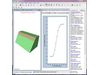

RocPlane - Planar Wedge Analysis for Slopes
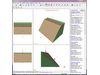
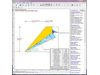
RocPlane is an interactive software tool for performing planar rock slope stability analysis and design. RocPlane makes it easy to quickly create planar models, visualize them in both 2D and 3D, and evaluate analysis results. RocPlane contains many helpful features that allow users to rapidly build, modify and run models.
RocPlane also includes functionalities for easily analyzing results, generating figures and charts, and producing convenient summaries of models and results. The report generation features of RocPlane are especially useful to engineers when writing reports with high-quality, and professional-looking drawings and diagrams. They help slope designers to readily communicate findings to people with varying slope engineering knowledge.
RocPlane provides a wide range of analysis options, including Sensitivity analysis, which allows you to quickly determine the effect of individual variables on wedge safety factor. Strength criteria include linear (Mohr-Coulomb) and nonlinear (Barton-Bandis, Power Curve and Hoek-Brown) criteria. An optional tension crack can be included, truncating the wedge at a user-defined orientation. Wedge size can be scaled according to height or bench width.
A variety of support and loading options are available. Rock bolts can be graphically applied and edited. Bolt orientation can be optimized with a single mouse click, and the support capacity for a required factor of safety can be determined. De-stabilizing forces due to water pressure on the failure plane, or seismic loads can be included in the analysis. External line loads can be applied to model support or loading forces.
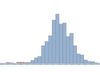
RocPlane has powerful yet easy-to-use probabilistic analysis features. Joint orientation, strength and other parameters can be easily assigned statistical distributions. Using Monte Carlo or Latin Hypercube sampling, this results in a distribution of safety factors from which a probability of failure is calculated. Histograms, cumulative and scatter plots of results can be viewed and failed wedges can be highlighted. Results can be exported to Excel with a single mouse click.
Slope Properties
- dip angle of slope, upper face and failure plane
- slope height
- bench width
- overhanging slope
- metric or imperial units
Shear Strength
- Mohr-Coulomb
- Barton-Bandis
- Power Curve
- Hoek-Brown
- waviness angle
Tension Crack
- optional tension crack plane
- vertical or non-vertical
- location – user-defined or automatic (minimum FS)
Deterministic Analysis
- calculate safety factor for a single wedge of known properties
Probabilistic Analysis
- define statistical distributions for input variables
- calculate probability of failure
- distributions – normal, uniform, triangular, beta, exponential, lognormal
- Monte Carlo or Latin Hypercube simulation
- random or pseudo-random sampling
- correlation coefficient for cohesion and friction angle
- histogram, cumulative and scatter plots
- best fit distribution (histograms), regression line (scatter plots)
- interactive sampler (cumulative plots)
- highlight failed wedges on plots
- select random wedges
Sensitivity Analysis
- determine effect of individual variables on safety factor
- multiple variables on one plot
Support
- rock bolts
- active or passive force
- optimize bolt orientation
- calculate support force for requiredfactor of safety
Loading
- water pressure on failure plane and/ or tension crack
- seismic coefficient
- external forces
Exporting Results
- one click export of data and charts to Excel
- copy to clipboard
- export image files
- Info Viewer analysis summary
Viewing Options
- 3D wedge view (top, front, side and perspective views)
- 2D view with dimensioning and annotations
- move wedge along sliding plane
- rotate perspective view, zoom
- customize display options
- Slope Stability
- Mining
- Rock