

VLogic - Room Scheduling Software
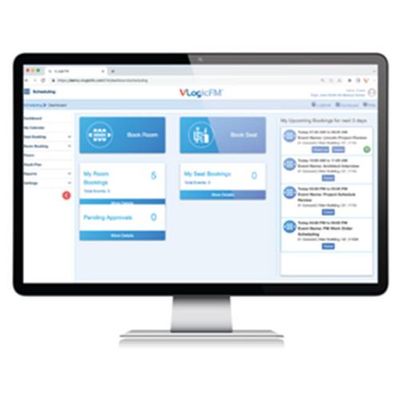
VLogicFM’s user-friendly web and mobile interfaces make it easy to schedule conferences and meeting rooms at anytime and from anywhere you have a laptop or smart device.
While some facility workforces are taking advantage of VLogicFM’s Hot Desking features to realize savings by sharing office seats amongst a hybrid workforce (see Scheduling: Hot Desking page), others are using the same room scheduling software to enable a more streamlined room booking process for shared common areas, such as conference rooms and patient exam rooms.
Making this process more efficient enhances collaboration between occupants of these shared spaces.
VLogicFM’s Room Scheduling Software Streamline’s Room Booking
- Enterprise communication
How to communicate room/desk bookings information across the enterprise without mass confusion?
- All user reservations will be synched up in one central cloud solution, removing possible confusion from multiple channels.
- Vlogic Hot desking software lets users have 24/7 access via Web or mobile device.
- Conflicts & Overbooking
How to prevent schedule conflicts and overbooking desks/rooms?
- VLogic Hot desking software automatically syncs bookings in real time - avoiding multiple bookings of the same resource.
- Meeting Room Amenities/Resources
How to provide needed office resources (amenities, catering, office equipment, etc.) for meetings & presentations?
- VLogicFM’s room scheduling software lets users filter room searches by what amenities are available in each room.
- Access Control
How to limit reservation access to certain rooms for projects or departments?
- VLogicFM’s granular access control functionality allows managers to restrict reservation of certain meeting rooms by project or department.
- Room Capacity
How to ensure booked rooms can accommodate all meeting participants?
- VLogicFM can access a building’s master as-built floorplans for basic room properties such as room capacity. This allows users to filter their room searches by room capacity without leaving the room booking process.
- Avoid bureaucracy with Self-service
How to avoid creating a new bureaucracy to manage room booking approvals?
- Workplace approval workflows are implemented in software, removing the need for human minders or admins.
- The streamlined software booking process allows users to book their own reservations just like they would a plane or train ticket— completely self-service. The system manages multiple users and multiple spaces all in real-time, automatically—without human intervention.
- That said, VLogicFM workflows allow you to interject human involvement where you want a manager to approve certain kinds of reservations.
- User training costs
How to prevent increased training expenses and delays during onboarding process?
- VLogicFM is built on technology that is already familiar to users: Web browsers & mobile apps.
- Most users will probably be able to navigate the room scheduling app without the need for training
- For the remainder who need training, online video tutorials will be provided
- For managers, live, remote training will be provided
VLogicFM’s Room Scheduling Software Streamline’s Room Booking
VLogicFM’s Room scheduling/Hot desking software uses a streamlined 5-step onboarding process, with two tasks assigned to the customer and the remaining three assigned to VLogic. VLogic services staff will ensure that data migration and configuration will move forward with minimum hassle to the customer.