




Scentroid - Version SIMS3 -Sensor Information Management Software
The Full Experience
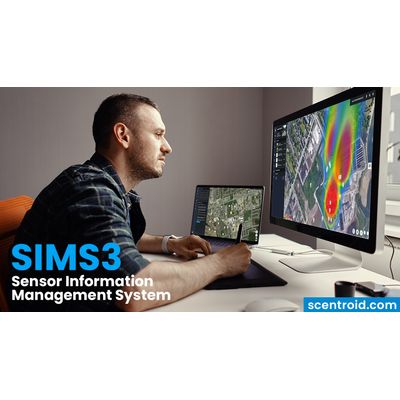
SIMS3 revolutionizes air quality monitoring and odor complaint management. The Scentroid team has worked hard to deliver an unforgettable user experience, designed with utmost care to provide you the tools to determine pollutant threats, air quality alarms, historical data, sampled areas, plumes, complaint management, and much more. The intuitive and esthetic graphical interface allows anyone to run complicated data analytics without needing to be an air quality expert.
Facility Organization
All facilities are separately organized so that the users of each will only see data from their own units. Regulators will have an overall view of all facilities within their monitoring scope.
Odor Complaint Management
Odor complaints are automatically analyzed to determine the individual validity of each against a known odor source or event. They’re then visually marked as justified (red), not justified (green), and to be justified (yellow). For each complaint the user will receive a list of all contributing sources and events. Complaints with no known sources will be analyzed to determine validity and to identify possible locations of the unknown contributing source.
SIMS3 AI
AI compares estimated odor levels from dispersion modelling to the actual measurements collected with odor monitoring equipment. AI adjusts and updates emission rates of all sources to compensate. Ground level readings are used by SIMS3 to conduct back trajectory to identify unknown sources. Continuous pollution data and field olfactometric data are used with meteorological data to triangulate the exact location of an odor source.
Weather and Complaint Forecasting
The built-in weather forecasting module allows the user to see any future weather events, determine complaint risk probability, view temperature, and more. Complaint risks are displayed underneath each individual forecast, whether daily or hourly, to assess the potential of receiving an odor complaint at that time, or for that date. Clicking on any date within the forecasted period will let the user generate a plume based on changing weather patterns, along with a complaint risk probability rating.
Event and Notification Log
The SIMS3 Event Log contains event data, timeframe, justification, occurrences, intensity, and a brief description. At a glance, users can determine the most logged event types, determine the weekly frequency of logged events, and track the most active day, most active time, and total events registered. A series of filters allows users to quickly find a specific event, notification, event type, new or read status, event time, justification status, occurrences, intensity, and more.
Notifications
We understand that you may not always have access to your computer to view in-app notifications on sensor alarms and alerts. Should you be monitoring a potential air quality hazard, an immediate notification may be necessary. Scentroid has you covered! Our SIMS3 platform is capable of notifying you via SMS or email should any sensors report an exceedance of a pre-determined value within our alarm settings page.
Timeline Control and Navigation
A powerful component of SIMS3 is the full control of time. Users can move a Timeline Navigation Slider to investigate how a Plume evolves over a set period. Plume data readings from ambient monitors, complaints, source emissions, and all other events will all be synced with the selected time. Users can even create an animation to get a visual on how the plumes and complaints evolve, as plumes will develop and change based on weather conditions, submitted user data, and algorithmic AI developments. Users can also move the timeline into the future and see SIMS3’s predictions for plumes, complaints, and even sensor readings within the next 2 days.
Integration of Mobile Data
Mobile odor support units will be actively using SIMS3 to route and monitor areas of concern. Collected data from vehicles is sent to SIMS3 for automatic digestion and analysis, and further, a means for our odor experts to determine baseline impact and pinpoint additional odor sources. In the image below, the heat map module is being used to investigate a route traveled by a Scentroid Urban Scanner (US20) unit.
SIMS3 Analytics:
- Temporal Mode
- Statistical Mode
- AQI Analysis
- Heat Map
- Event Analytics
- Odor Complaint Analytics