

- Home
- Companies
- EPAM Systems, Inc.
- Software
- ShareKnowledge - Version LMS - ...
ShareKnowledge - Version LMS -Reporting Softwaer
LMS Reporting: Three Extraordinary Reporting Types. Fast and simple basic reports. Obtain specific needed data in a few clicks. Filter and sort data, select needed columns, just like in Excel. Build advanced reports in 3 clicks. Set up and save the custom reports you need on a regular basis. A specially designed interface makes it possible to create, edit and save any needed report. Accessible for integration. Use any external reporting system such as SQL Reporting Services or Crystal Reports to connect to ShareKnowledge’s externally accessible database.
Your company chose SharePoint for a reason. Here are some reasons your LMS should be on SharePoint, too...
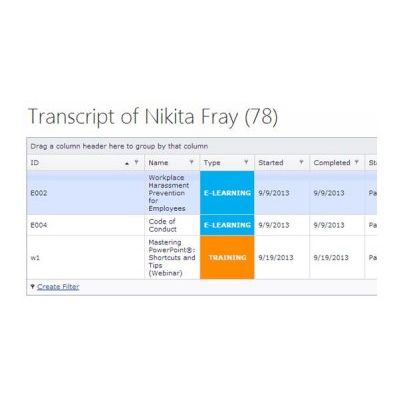
Obtain specific needed data in a few clicks. Filter and sort data, select needed columns, just like in Excel
Set up and save the custom reports you need on a regular basis. A specially designed interface makes it possible to create, edit and save any needed report
Use any external reporting system such as SQL Reporting Services or Crystal Reports to connect to ShareKnowledge’s externally accessible database
- Built-in Reports. With the ShareKnowledge LMS set of built-in reports, it’s possible to supervise the current training situation
- Instructors can see how training is progressing within their courses and what results learners are obtaining as well as assess the training itself with advanced reporting features.
- Managers can analyze how training is progressing within their team and to ensure course access and assignments are given to the right people with the Management Hierarchy Report.
- Observers can see how people to which they’ve been assigned are studying.
Information is displayed as a table within reports. It’s then possible to process, filter and group data according to attributes with the Web interface, without using any additional tool. It’s also possible to configure filters.
Ad Hoc Report Builder. We created Report Builder to fill each company’s unique needs. It’s possible to configure, display and save custom reports which correspond to your business goals. We even cover specific industries as well. For instance, our clients in Heavy Industry and Construction enjoy our Matrix Report that allows managers to quickly compare training gaps to a job someone doesn`t do yet. This provides needed clarity to see what staff members can do a job, or are very close, to hit the ground running in a fast-paced environment.
You can save frequently needed groups of reporting settings, such as: departments, positions, courses and their categories, regions, dates.
SharePoint-Based Reporting Site. If your business goals include regular complex reporting, we’ll help you configure needed reports using Microsoft tools (such as Microsoft SQL Reporting Services). Since ShareKnowledge is built on top of SharePoint, the system is tightly integrated with Microsoft’s infrastructure. You’ll thereby be able to set up an independent sub-site to access pre-configured reports with only 2 clicks. You’ll also be able to configure the email notification system, and the template system which automatically generates reports at scheduled times.
All Needed Reporting In a Few Clicks
Gradebook