
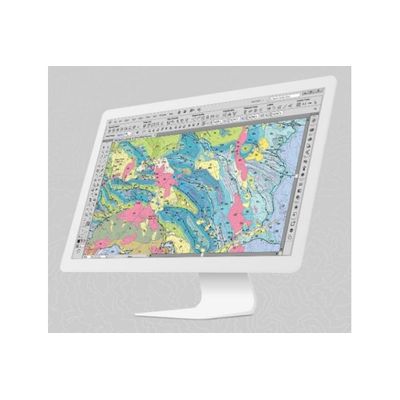
MAPublisher FMEAuto - Simple Automated Workflows Software
MAPublisher® FME Auto™ is a powerful add-on that connects the GIS data processing environment of FME® Desktop to the cartographic design and publishing environment of MAPublisher and Adobe® Illustrator® (Windows only).
Configuration
Translate data from FME to Adobe Illustrator
MAPublisher FME Auto (Windows only) provides FME Desktop with an Adobe Illustrator – MAPublisher writer. In FME Desktop, use the writer to translate GIS data formats for use with MAPublisher. Create workflows in FME and then use pre-designed Adobe Illustrator templates, auto-assigned layers, and prepared MAP Themes to generate maps.
FFS Import
Import FFS files into Adobe Illustrator using MAPublisher
MAPublisher FME Auto also gives you the ability to import FME Feature Store (FFS) files independently. Import them using MAPublisher Simple or Advanced import like any other supported GIS format. Alternatively, use FME Desktop to translate data and export to Adobe Illustrator.
Automate
Automatically style data based on attributes and MAP Themes
Maintain data attributes from FME to MAPublisher to use them with Adobe Illustrator templates containing MAP Theme stylesheets. MAP layers are auto-assigned and styles are automatically applied to matching layers and attributes. It really can’t be any easier.
Design
Ready to design and produce high-quality maps
Map documents generated using MAPublisher FME Auto contain MAP Views, MAP Layers, spatial coordinate systems and data attributes – everything you need to finalize the map design with MAPublisher cartography tools. Extend uses for your maps by converting to them to Flash with MAP Web Author or export to geospatial PDF and take them mobile with Avenza Maps.
Geospatial Interoperability
Use data conversion tools in FME to gain control of how you want your data. FME Auto will ensure that data can be imported into Adobe Illustrator with ease.
Expanded Workflows
FME’s extensive format support can benefit your GIS workflows. Convert, transform, merge, validate, reproject, inspect, and filter your data before it reaches Adobe Illustrator for final production-quality finishes.
Automation
Automation saves you time. Easily automate the data import process using a combination of the configurations in FME and the MAPublisher Automation feature.
Configurable Parameters
The Adobe Illustrator – MAPublisher writer in FME has many configurable parameters to customize the import process. Import your data to template files to reduce repetitive mapping.