


- Home
- Companies
- RTDS Technologies Inc.
- Software
- RSCAD - Version FX - Software for ...
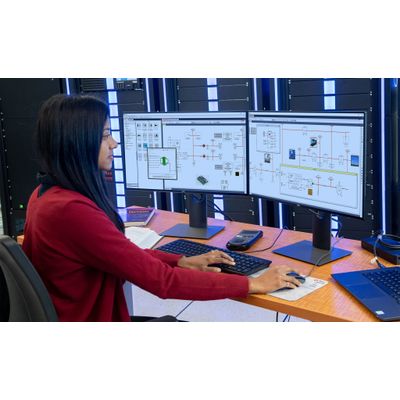
RSCAD - Version FX -Software for Graphical User Interface
RSCAD® is the all-in-one software package that runs on the user’s PC and allows the configuration, execution, and analysis of real-time simulations. RSCAD differs from other real-time simulation software in that it was developed in-house by the developers of the RTDS Simulator and requires no third-party modules.
Increased price transparency
RSCAD is distributed via site license (it can be installed on any number of workstations at the customer site) and includes every library and feature required to carry out all types of real-time simulation. Avoid being limited to certain libraries or modules and steer clear of surprise fees for expansion.
Comprehensive user support
As the sole developer of RSCAD, RTDS Technologies is extremely well-equipped to provide fast and comprehensive user support. Correspond directly with the creators of the models and GUI to ensure nothing gets in the way of your successful simulation project – regardless of when you last updated your hardware or software.
Seamless compatibility
Simulation software containing third-party modules often comes up against compatibility issues. RSCAD is built for seamless backward compatibility, mitigating the chance of problematic upgrades or lost case information.
Circuit Construction: Define single- or three-phase circuits. Choose from extensive component libraries. User-friendly parameter search and entry.
Operator’s Module: Start, stop, and interact with the simulation in real time. Apply faults, adjust parameters, and view simulation data. Conveniently annotate and save data.
Scripting and Test Automation: Conveniently automate many tests via C-type scripts. Eliminate user intervention in running tests, changing parameters, and saving data.
Transmission Line and Cable Parameters: Generate the characteristic impedance and other key data for travelling wave line and cable models based on physical/geometrical data or sequence components.
Component Builder: Use C language and a drawing facility to create user-defined power system or controls components that run in real time alongside existing library components.
Manuals and Documentation: Comprehensive documentation for library components, software modules, sample cases, and tutorials.