


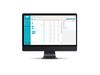
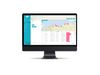
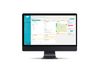
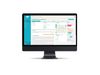
Jambo SRM - Stakeholder Relationship Management software
Stakeholder profiles
Keep up-to-date profiles for all stakeholders, organizations and communities in one secure location. Store information such as contact details, interests, concerns, and interactions.
Activity and interaction records
Easily add records for each communication, activity, or interaction with stakeholders. Review the full history of engagement with stakeholders.
Issue and feedback management
Log stakeholder issues or concerns and understand their priority and impact. Follow issues through to resolution with an issues timeline.
Commitment tracking
Track commitments, mitigations, or promises made to stakeholders. Set recurring commitments for those that need to be repeated at regular intervals.
Dashboards and analytics
Monitor the status of issues, tasks, and team progress using project dashboards. Review project/data analytics to track performance and identify areas for improvement. Customize your grid views to make them work better for you.
Tasks and reminders
Assign tasks to yourself or team members. Set auto-reminders to ensure tasks are completed on time.
Mobile responsiveness
Access and use Jambo from any device with an internet connection, including smartphones and tablets. Easily add records on the go without having to download a separate mobile app. Use Siri or voice-to-text to log records quickly.
Reporting
Create report summaries or comprehensive reports in seconds (CSV and PDF). Pre-built reports are available, or create your own using filters.
Tagging
Categorize and organize information using tags - these can be specific keywords, themes, categories, concerns, or trends. Simplify searching through data by adding important keywords as tags.
Email automation
Automatically add emails (including attachments) from an Outlook or Gmail account to Jambo with a unique project email address. Users can simply BCC or forward emails to the unique Jambo project email address to add them to each project.
Outlook add-in
With the FREE Jambo for Outlook add-in, you can seamlessly create new communication records and add meetings or events on your Outlook calendar to a Jambo project.
Public API
Connect your various business applications to Jambo with our public API.
Zapier integration
Zapier is a web-based integration tool that connects over 7,000+ applications to automate data transfer without requiring coding skills, saving time and effort. The Jambo-Zapier Integration is an easy way to automatically integrate your other systems and data with Jambo (like Gmail, Typeform, and SurveyMonkey), ensuring you have one central location for all your stakeholder engagement information.
Jambo AI Summarize
Jambo AI Summarize is a powerful AI-powered tool that helps you uncover the full potential of your communication data. It uses Jambo Secure AI to generate a clear and concise summary of your raw and detailed communication notes on an engagement record with just one click.
Jambo AI Sentiment
Jambo AI Sentiment uses Jambo Secure AI to analyze the notes within your communication records and assign a negative, neutral or positive sentiment value with just one click. You can enable automatic sentiment analysis to assign sentiment values continuously. You can also enable automatic analysis of emails sent to Jambo via your unique project email address or the Jambo for Outlook add-in.
Calendaring
Easily log calendar events like meetings, appointments, or engagement sessions to your Jambo project directly from Outlook using our FREE Jambo for Outlook add-in.
Global view
With Jambo's Global View, you can view the engagement of individuals or organizations across all of your projects or programs and easily create reports.
Project View
Segment stakeholder data by project to make it easy for teams to review, record, and report on stakeholder information by initiative/ project/program.
Custom dashboards
Create customized project dashboards to fit your needs. Add widgets as needed and change their size, position and order to create the perfect dashboard for yourself, your team, or your project. Create and save new dashboards for different purposes, name them, set them as your project defaults, share them with other users, or delete them to stay organized.
Analytics
Create charts and graphs of your data, including line graphs, bar charts, and pie charts, to help you analyze and understand your data better. Monitor project progress and team performance with KPI semi-circle gauges and numerical displays. Filter your data to query and answer hundreds of questions about your stakeholders and projects. Export your graphs and charts in various file formats.
Centralized contact management
Easily share contacts across projects. When a contact is updated in one project, those changes are automatically reflected across all other projects where that contact is shared. This ensures consistency and eliminates the need for manual updates.
Communication campaigns
Build contact lists and export them for use in mass communication campaigns (e.g. email lists, newsletters, mailouts).
Maps and geospatial tools
Manage locations as stakeholders by linking records of engagement to the location. Track and map contacts and communications with precise address geocoding. Define and display project area boundaries for a clear geographic context. Filter and explore engagement data on maps to identify hotspots and trends. Integrate seamlessly with Esri ArcGIS Pro data through our free add-in.
Attachment/document management
Add attachments like PDFs, images, and videos to records. Include attachments in reports (attachments are downloaded in an organized zipped folder structure).
Easy contact importing and duplicate management
Upload multiple contacts from an Excel file at once. Duplication checks help ensure your contact data doesn't create duplicates.
Bulk editing tools
Quickly add/edit/remove Jambo tags or custom fields.
Customization options
Customize your project with custom fields, tags, and categories to fit your needs. Customize grid views to best suit essential data. Change your preferred language to English or French with the click of a button. You can set the default currency ($, €, £, etc.), country code for phone numbers, and numerical number format for an account.
Localization and internationalization options
Set your default country code for phone numbers, numerical number format, and currency for an account. Jambo supports addresses from all over the world. We use the Esri Geocode Addresses tool, which understands different address formats from many countries, so you can add international locations to contacts or records without hassle.
GDPR compliance
Easily manage your stakeholders' subscription preferences and opt-in/opt-out status. Manage requests for information more easily with all data stored in one secure, centralized location.
Select your preferred language
Change your preferred language in Jambo to English or French with the click of a button. All interface elements, such as page headers, field names, and messaging, will be changed to your preferred language, except for user-generated content and custom-configured options like tags and custom fields. After you change your preferred language, all in-app notifications and emails from Jambo will be in that language.
WCAG level A compliance
We're committed to accessibility, and the Jambo platform meets WCAG 2.1 Level A standards. This means our platform is designed to be usable by people with a wide range of disabilities, ensuring everyone has equal access to our features.
User permission management
Assign users roles and permission by project to ensure they only have the necessary access. Keep sensitive information protected and only accessible to authorized personnel while enabling team collaboration.
Confidential contractor access
Work collaboratively with your contractors in Jambo by limiting their access to sensitive projects or communication records and issue updates, commitments, and tasks. You can limit access to sensitive information, such as financial data or confidential internal notes, to prevent unauthorized viewing or editing.
Change history and audit trail
Track user activity and changes made to records, providing a clear audit trail to ensure authenticity and accountability.
Activity logs
Jambo can keep records of activity, such as who created, edited, viewed, or deleted a record, including what changes were made to data, who made the change, when it was made, etc. Use activity logs with your SIEM (Security Information and Event Management) software to help your organization maintain information security.
Single sign-on (SSO)
Jambo's Single Sign-On (SSO) feature provides an additional layer of security for enterprise customers, allowing IT teams to easily manage staff access using existing tools and protocols.
Jambo Calendar
A shared calendar view of all planned project communications, campaigns, commitments, and tasks.