


- Home
- Companies
- Eworks Manager
- Software
- Eworks - Stock Management Software
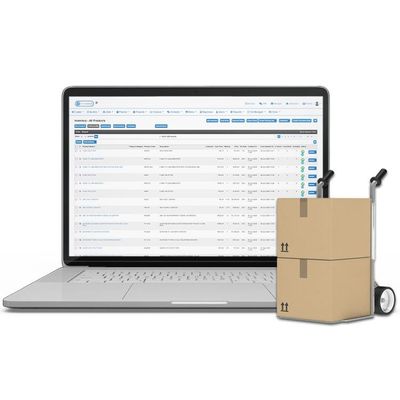
Eworks - Stock Management Software
A Full-Featured Stock Management System Designed to Manage and Streamline Your Entire Business from Start to End. Typically Field Service and Trades businesses hold stock in their warehouse or stock room and the technicians` vehicles. Some materials get ordered straight to jobs, while other items that are used regularly are ordered into stock and distributed to jobs from there. It isn`t easy to keep track of materials when each technician`s van is effectively a stock location. This makes it tricky to know the exact number of items that are in stock.
Inaccurate data collection can lead to over or under ordering of materials. It can also cause errors when it comes to job costing, as items used from the field worker`s van do not always get recorded as a cost to the business. Eworks Manager`s Stock Tracking System will help solve all of these inventory issues.
Eworks Manager can offer you a simplified way to manage where your stock is or has been. Effortlessly manage what you have in stock, what has been committed to jobs in progress and what you have available. With our stock control system, you can also know what you need for upcoming jobs.
By using Eworks Manager to manage and monitor each of your Locations, stock replenishment becomes an easy task. With total stock and stock value visible for each location, your staff will know exactly what stock each warehouse or Mobile Location has - minimising cases of over-stocking and under-stocking.
You can keep an eye on all Purchase Order information, whether it be ordering stock for a job or for a location. With Eworks Manager’s Stock Control Software, you can capture partial deliveries and Invoices from your suppliers. This will ensure that you have all the stock you ordered. Tracking ordered stock also becomes easy with our software. Simply select the location from a drop down, which automatically updates the location`s stock count.
When stock assigned to a job is not available in the worker`s van, the system will automatically generate a picking list for the worker to collect from their designated warehouse. The admin staff can quickly create picking lists to move stock from one location to another. This way, the system can adjust stock values for each location and keep a full history of stock moved.
When picking lists are created for locations, when stock is ordered from your suppliers or when staff add or remove stock for specific locations, Eworks Manager keeps a full history of it. This allows you to refer back if any issues arise around the stock.