

Supervisor - Version FS -Touch Display Task Scheduler Software
FS»Touch Display - Task Schedulerallows feed managers to prepare a daily routine for the feed team to follow. Operators simply press `Next Scheduled Task` from the home screen and the system is ready to begin mixing the next load.
FS»Touch Display - Task Scheduler also allows the manager to build in other daily tasks to the feeders schedule. For instance, tasks like cut back plastic, face feed, weigh clean up, test dry matter %, and many more can be built in to the daily schedule and will come up in the order they were assigned. This makes it very easy for a manager to communicate effectively with the team without needing to track them down.
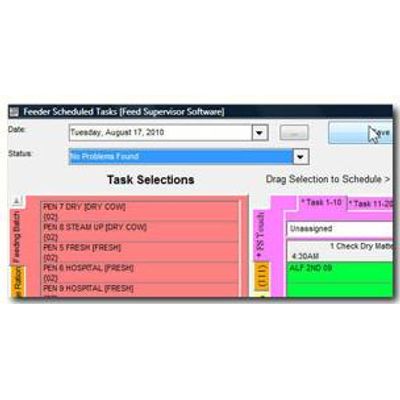
Start at your computer with an easy drag and drop screen to create your schedule. Copy a previous day`s feeding information to get a quick start or create an all new load schedule that maximizes your mixer capacity. Create customized tasks with detailed instructions. Schedule all of your employee`s tasks, such as weighing inventory, pushing up feed, and taking forage moistures.
FS»Touch Display - Task Scheduler interfaces with the FS»Touch Display feeding system to guide the employee through their day. With the touchscreen interface, immediate feedback to the employee lets them know they are achieving the results you expect. All your operator needs to do is login to the FS»Touch, and the tasks start!