


BabEng - Tunnelling Process Control Software (TPC)
Demands for technical documentation during the tunnelling project life cycle take up managerial time. To offer targeted assistance for TBM projects in all situations, saving valuable time in routine work and providing a multi-functional tool − that is the reason we developed our TPC software.
With TPC you are given the key to a single and easy-to-use entrance for complete tunnelling monitoring as well as efficient data visualization, organization and analysis functions.
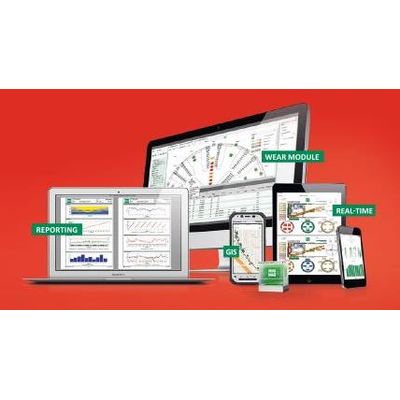
See the interaction between excavation and the surrounding ground and structures in real-time. Fully customizable screens can show everything from overviews to the very last detail. Further screens can be added with individual backgrounds and a wide variety of indicator displays (analogue or digital, diagram, valves, etc.) that can be modified by each user to create their preferred screen layout. Even the basic screens can be modified.
We deal with every aspect of data of the tunnelling processes:
- Graphic display of the project advance including target-performance comparison
- Comparison of cycle times for propulsion, ring installation and waiting time including the calculation of average values or progress with double shields
- Shift-related analysis of project progress, Pie-chart analysis of working time information gathered in shift reports.
The level of detail and the periods analysed can be chosen freely. Results are available as a percentage and in absolute numbers. Choose between daily, weekly or monthly summary of the data. Export of diagrams as PDF file.
Use our flexible and user-friendly Report Builder with a wide range of options for all stages of a project. The spectrum ranges from shift or ring reports, damage and repair reports with error messages, data evaluation based on time, ring or station through to daily, weekly and special reports for performance overview and tunnelling documentation.
All requisite reports are structured clearly, compiled automatically and distributed in the project team according to specific plans – from a brief summary down to precise details.
One of TPC’s core features is the special report function. In addition to being able to select from predefined reports, the special report function is a quick and flexible tool to easily create customized reports based on data available from multiple sources. It allows the user to create and save report layouts and to place the reports at the disposal of other users. Data can be correlated to any other data for evaluation. A single report template can contain several types of graphs and views. Furthermore, it can be customized to include project specific information such as company logos and images. The special report function allows the user to manage distribution lists and to determine the generation frequencies for a report or set of report.
Controlling the costs of a project is essential for all parties involved. By improving tool wear tracking, maintenance planning and forecasting future tool consumption, you can keep a close eye on costs, thereby minimizing them significantly where necessary.
CUTTER HEAD INSPECTION
Entry of wear information on cutter head tools and documentation of tool changes.
CUTTER SHOP
Management of tool inventory including detailed information for each type.
Flexible analysis of wear information for documentation and prediction of future wear. Statistical analysis based on tool types, geotechnical information and tool positions.
WEAR MODULE SETUP
Input of necessary cutter head and tool information for the implementation of the Wear Module.
Fix problems before risks arise with user-defined limit values. If values exceed, for example for settlements, face pressure, thrust force, or even more specific parameters such as gas concentration, they are displayed in separate lists and can be linked with automatic notifications or warnings to each parameter type.
The notifications can be an e-mail, an SMS or even a phone call for the most urgent cases. It is also easy to select different recipient groups for each type of notification or parameter.
This continuous 24/7 monitoring in real time means that you are always prepared for quick and targeted intervention in an emergency. TPC notification and trigger setup feature ensures that all tunnel processes stay on track.