



UnWedge - Underground Wedge Stability Analysis
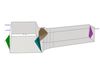
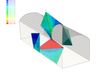
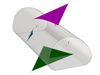
UnWedge's Windows-based interface provides an easy to use, graphical environment for data entry and visualization that greatly simplifies the analysis and design process. Popup windows allow for easy entry and modification of model parameters, and easy to use editing tools provide a convenient method for performing parametric studies. The graphical data interpreter provides a rich set of tools, including 3D animation, for the convenient display of wedges surrounding the excavation.
In addition to allowing for simple point and click geometry input/editing, UnWedge provides enhanced support models for bolts, shotcrete and support pressures, the ability to optimize tunnel orientation and an option to look at different combinations of three joint sets based on a list of more than three joint sets. UnWedge uses a new analysis engine based on Goodman and Shi's block theory, which includes the ability to incorporate induced stress around the excavation and the effect on stability, new strength models such as Barton-Bandis and Power Curve, and the ability to improve the scaling and sizing of wedges.
Excavation
- Define/edit opening section
- Import/export .dxf files
- Axis trend/plunge
- Analyze tunnels, caverns, shafts, intersections
Joints
- Orientation (dip/dip direction)
- Import from Dips
- Stereonet view
- Multiple joint combinations
- Joint combination analyzer
- Shear strength (Mohr-Coulomb, Barton-Bandis, Power Curve)
- Waviness
- Joint structure continuity
- Water pressure
Wedges
- Tetrahedral or prismatic wedges using Goodman/Shi block theory
- Perimeter wedges
- End wedges
- Failure modes – falling, sliding, lifting, stable
- Scale wedge size
- Ground surface wedge truncation
- Failure mode filter
- Minimum wedge size filter
- EC7 design standards
Probabilistic Analysis
- Statistical distributions - normal, uniform, triangular, beta, exponential, lognormal, gamma
- Fisher distribution for joint orientations
- Histogram, cumulative, and scatter plots
- Import joint set statistics from Dips
- Monte Carlo or Latin Hypercube simulation
- Random or pseduo-random sampling
- Highlight failed wedges on plots
- View all results from multiple joint combinations of three different joints at once
Support
- 2D design views
- Pattern bolting, shotcrete, pressure, spot bolting
- Bolt models – anchored, grouted dowel, cables, Swellex, split sets, user-defined
- Bolt orientation efficiency
- Interactive editing
- Bolt force diagrams
Loading
- Seismic loading
- Field stress
- Pressure
- Bolt force
- Water pressure
Viewing Options
- 3D wedge view (orthogonal and perspective views)
- Multi-perspective view
- End wedge view
- Probability view
- Wedge visibility
- Move wedges
- Easily rotate, zoom, pan
- Animation
- Display options
Stress Analysis
- Constant field stress
- Gravity field stress
- Advanced analysis options
- View stress contours
Tunnel Axis Plots
- Optimize axis orientation
- Vary trend and/or plunge
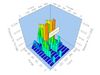
- Contour plots or 3D charts
- 2D charts with secondary data
- User-defined data