



Eclipse Scientific BeamTool - Version 11 -UT Technique Development Software for Ultrasonic Inspections
Continuing to lead the industry in UT technique development software, Eclipse Scientific's BeamTool 11 offers a robust set of new features and enhancements. Successful inspections start with a plan and BeamTool makes it easy to model, validate and document your Phased Array, TOFD and Conventional Ultrasonic scan plans with confidence. Easy to use and powerful, BeamTool has continued to evolve and provide tools to improve proficiency and accuracy of ultrasonic inspections. From technicians in the field, to researchers and authors, BeamTool provides the indispensable toolset for the NDT industry.
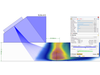
Focal Quality and Point Spread Function simulation were introduced in BeamTool10 as a means of assessing the spatial sensitivity and resolution of FMC/TFM techniques. In BeamTool 11 these features have been improved and expanded to support Phased Array beamsets as well. The focal quality simulation allows the user to quickly visualize how the amplitude, shape and size of a point reflector (small side drilled hole) varies throughout the inspection region for a given technique. The user can use this information to select the appropriate essential technique parameters (aperture, focusing, index offset, etc.). Several focal quality metrics derived from the “Point Spread Function (PSF)” can be overlaid on the piece and their precise numerical values read at any given mouse position allowing for direct estimation of target resolution and sizing accuracy.
New in BeamTool 11 is the ability to quantitatively compare candidate inspection techniques (supported for FMC, Linear, Sectorial and Spread Beamsets). Beamsets generated with different probes (frequency, pitch, wedge parameters), apertures, focusing type (true depth, half path, unfocused) scan type (linear, sectorial, spread/compound) can be selected for comparison and appear in a split-screen view. Focal quality metrics associated with each technique are overlaid on the piece with a consistent palette to facilitate discriminating between them. The point spread function simulation and corresponding focal metrics (sensitivity, focal area, vertical resolution, horizontal resolution, lateral resolution, axial resolution) are displayed independently for each technique for ease of comparison.
In BeamTool 11 the user is alerted to potential issues with the selected technique by a “Warnings” tab. Technique pitfalls to which the user will be alerted to in the “Warning” tab include:
- Using beams with low beam quality (eg. low transmitted amplitude)
- Specifying a focus which is beyond the effective nearfield for the array (focusing not possible)
- Setting a passive aperture larger than active aperture (affects near field approximations)
- Discrepancy between the wedge angle & piece surface angle (if they do not match)
- Beams intersect the weld at an angle that is outside of a configurable tolerance
- Attempting to use shear sound mode with a contact probe
- Beams do not enter the piece (eg. they intersect the damper or cannot be computed)
- Velocity mismatch between configured velocity and custom geometries
- Probe/Wedge parameters differ from the catalog values
- Weld contains cap but caps are ignored for relections
- Incorrectly configuring the instrument (eg. Number of available law channels)
- Cal block shape/piece parameters do not match
- Cal block is not large enough to fit auto-targets
- Custom geometry is improperly drawn (eg. self intersecting, zero length segments, etc...)
A new “Workspace Information” option has been added in BeamTool 11 which when enabled, provides the user information about the beam nearest to the mouse position – this information includes travel path, time of flight, beam angle, etc.
In response to popular demand, the option to change the coordinate system from the default global Cartesian coordinate system (x,y,z) to the NDT industry standard coordinate system (Index, Depth, Scan) is available in BeamTool 11. When the NDT axes are employed, all pertinent geometric information is labeled with respect to the Index, Depth, Scan axes which may facilitate reporting/technique documentation.
In BeamTool 11 the user can now use any of the Point Spread Function/Focal Metric simulation features in custom work pieces (previously only supported in standard pieces). The user may use the CAD tools to represent arbitrary inspection geometries and then select the appropriate component surfaces as the front and back walls of the piece.