


- Home
- Companies
- Gantner Instruments
- Software
- Version GI.bench - PC-based Data ...
Version GI.bench -PC-based Data Acquisition Software
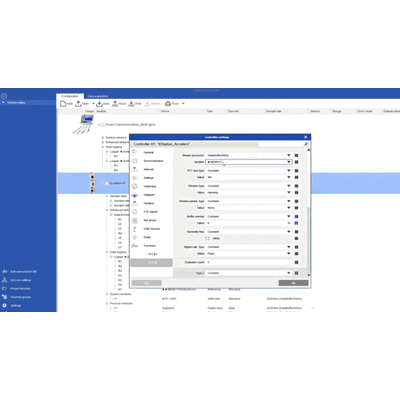
GI.bench is a state-of-the-art data acquisition software environment that combines system setup and configuration and logging and monitoring multiple data streams in one easy-to-use desktop application. GI.bench enables you to configure, execute, and analyze your testing and monitoring projects on the fly with access high-availability measurement data, anywhere. Experience GI.bench’s latest powerful features today. Download GI.bench, and discover a world of data acquisition and analysis possibilities. For a detailed overview of the latest release, visit our blog post.
The GI.bench software platform combines faster test setups, project configuration and handling, as well as visualization of data streams in one digital workbench.
It enables you to configure, execute and analyze your measurement and test tasks on the fly. Access live and historical measurements data anywhere.
With GI.bench’s UI design, experience the difference in accessing high-availability measurement data, anywhere. Witness the power of the new features in action with our Microphone demo.
To optimize your testing and monitoring projects, GI.bench now includes an Oscilloscope widget with sin and rectangle wave functions and new FFT Chart. Enhance your data analysis with the Statistics view in the marker window. Access historical sources from a dedicated tree and view live data with a click. These features of GI.bench enable you to configure, execute, and analyze your testing and monitoring projects more efficiently.
- I/O module configuration, calibration, alarming
- Project-based configuration
- Channel groups and multichannel editing
- Import and export
- Sensor database
- Offline editing
- Signal quick view
- Easy Firmware Update
- Structured view
- Time zone adjusted
Our integrated CAN Editor provides a graphical overview of CAN messages, enhancing your system setup.
The Power Analyzer Configuration in GI.bench is a click away. Link directly to the Q.boost website for an advanced experience.
Configuring your data acquisition process is smooth with the Action Buttons column including Tare, Zero, Shunt, Reset.
- Multi-frequency data logging
- Save data in different formats
- Multiple logger modes
- Parallel data logging
- Datastream merging
- “Armed” State for logger button
Change the default download directory in settings, and control dashboard access directly from the data acquisition toolbar.
- Configurable multi-tab dashboards
- Remote viewing via any web browser
- Save dashboard layouts with project
- Real-time and historical data
- YT, XY, Oscilloscope, FFT, Bar, 3D
- Embedded IP camera stream
- High-granularity zoom
- Signal markers
- Print and save to file
- Direct access to the Controller-Dashboard from the data acquisition toolbar
- Button to open default download directory in left panel
The improved custom dashboards include FFT evaluator configuration in variable settings and FFT evaluator view in the marker window.
- Engineering unit conversion
- Real-time calculation
- Frequency analysis
- Rainflow counting
- Data reduction methods
- Modern look and feel
- Multilingual user interface
- Context-sensitive help
- Configuration self-check
GI.bench offers an enhanced user interface with a modern and sleek design, providing improved dialogues for easier navigation and online measurements for sensor definitions.
Upload your files easily with our File Uploading feature and handle your data conveniently with our CSV Export/Import feature.
Save your files directly to Archive for a streamlined data handling process.
- Cloud edge device configuration
- Third-party data stream integration
- PubSub extensions for OPC UA, MQTT, DDS
- Parameterization of CAN, EtherCAT, PROFINET, test.con apps
- Data acquisition with F108 Optical Gage Amplifier and 4 MHz Q.boost
- Advanced API for configuration and data access
Includes an easy firmware update feature and dialogs for a smooth user experience.