


- Home
- Companies
- Bitrode Corporation
- Software
- VisuaLCN Laboratory Software
VisuaLCN Laboratory Software
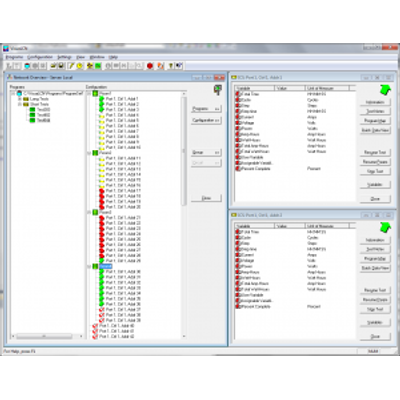
VisuaLCN Laboratory software, together with Bitrode’s outstanding laboratory test instruments, will give you superior control of your laboratory workflow. Navigate through your workflow with the click of a mouse and control your processes with drag-and-drop ease of use. Designed for flexibility, VisuaLCN’s Windows-based client-server architecture allows you to work on a standalone computer or control your Bitrode hardware from anywhere on your network. Using intuitive images and controls familiar to Windows users eases the learning curve for operators and staff. The software is an easy-to-use, fully featured, flexible, and powerful programming tool for Bitrode equipment that enables the user to spend more time testing and less time writing and debugging the test program. You’ll be impressed with how smoothly a new laboratory network can be built and how well the VisuaLCN system will integrate with existing enterprise networks. The Program Editor application presents a fill-in-the-blank interface; all the choices are right in front of you in an easy-to-understand format. You can create custom test regimes for circuit control quickly and easily. Add new program steps by working from the menus or copy them from an existing routine. Additionally, you can comment on each step and control, helping you and other users remember and understand the profiles you’ve developed. VisuaLCN’s real-time data acquisition capability allows you to check the progress of a running circuit using one of several methods. Data can be gathered from individual circuits or from entire groups in the Lab Client Window. With VisuaLCN’s remote web-based monitoring feature, you can create a simple web page that shows customizable circuit data and view it from any computer or mobile device. The User Connection Center allows you to create trigger alerts that generate text messages or emails to notify you of a change in your testing program. Information returned from your tests can be viewed in tabular format or in a user-configurable graphic view. Whether you need an Excel spreadsheet, an Access database, or a dynamic graph of your test results, VisuaLCN Laboratory software can help you create a report of your own design.Are you developing batteries for lead-acid or advanced cell chemistries? VisuaLCN Laboratory software, together with Bitrode’s outstanding laboratory test instruments will give you superior control of your laboratory workflow. Navigate through your workflow with the click of a mouse and control your processes with drag-and-drop ease of use.
Designed for flexibility, VisuaLCN’s Windows-based client-server architecture allows you to work on a standalone computer or control your Bitrode hardware from anywhere on your network. Using intuitive images and controls familiar to Windows users eases the learning curve for operators and staff.
The software is an easy to use, fully featured, flexible and powerful programming tool for Bitrode equipment that enables the user to spend more time testing and less time writing and debugging the test program. You’ll be impressed with how smoothly a new laboratory network can be built and how well the VisuaLCN system will integrate with existing enterprise networks.
You don’t need to be a software engineer to create circuit control programs with VisuaLCN. The Program Editor application presents a fill-in-the-blank interface; all the choices are right in front of you in an easy-to-understand format. Your can create custom test regimes for circuit control quickly and easily.
Add new program steps by working from the menus or copy them from an existing routine. Additionally, you can comment on each step and control, helping you and other users remember and understand the profiles you’ve developed.
Don’t be left in the dark. VisuaLCN’s realtime data acquisition capability allows you to check the progress of a running circuit using one of several methods. View data from tests in process using the tabular Individual Circuit Status window, or check progress graphically, watching variables plot in real-time. Data can be gathered from individual circuits or from entire groups in the Lab Client Window.
With VisuaLCN’s remote web-based monitoring feature, you can create a simple web page that shows customizable circuit data and view it from any computer or mobile device. Additionally, your network administrator can host the site on your company’s server for increased visibility.
If, for any reason, you are unable to access your customized web page, the User Connection Center can help. This new feature in VisuaLCN Laboratory software allows you to create trigger alerts that generate text messages or emails to notify you of a change in your testing program.