VPview - Version V 18 -View, Plot, Mark-up Software
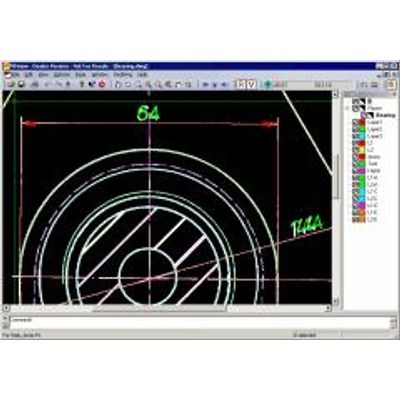
VPviewis an affordable solution for viewing, redlining and printing/plotting of 2D CAD and GIS drawings and scanned documents. Also, zooming, view rotation and panning is available plus, displaying properties of selected objects and CAD entities. Attributes of GIS entities can be displayed using query options.
File preview while browsing through directories and fast document loading is combined with extensive zoom and pan features for quick image, drawing, and map file handling. Adding redlinings and annotations is as easy as picking a cloud or an arrow and placing it on the desired area.
Viewing:
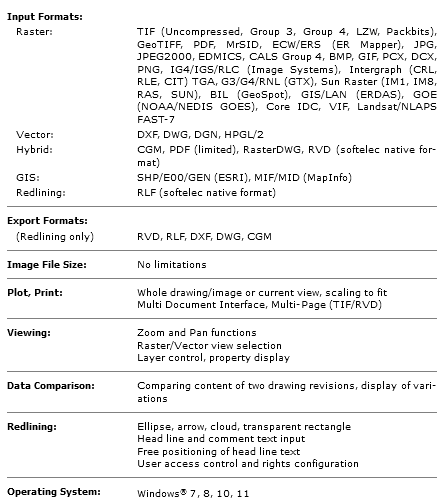
Many supported file formats, like almost any raster files (b/w, gray scale, color), vector (DWG, DXF, DGN), GIS (ESRI/MapInfo), hybrid files like RasterDWG, RVD or others can be previewed and loaded in a blink. Comfortable and fast zoom and pan functions allow for detailed inspection. If redlining is activated, all accessible redlining information will be displayed.
Printing/Plotting:
VPviewfeatures sophisticated print and plot functions for raster, vector, and hybrid files. The image may be plotted up to its extents or any scaling factor. The plot preview allows for exact positioning and window selection. For color and lineweight adjustments AutoCAD plot style files (CTB) are supported.
Measurement:
VPviewallows an exact measurement of distances and areas in the loaded drawings.
File Comparison:
VPviewenables quick and visual comparison of different files and drawing versions. Just load a second file and the difference will be highlighted!
Redlining/Reviewing/Mark-ups:
VPviewoffers easy to use pre-designed redlining objects ready to be placed on the drawing. The user is automatically requested to add a headline text for free placement anywhere around the redlining marker for optimal visibility. Additional text - for more detailed information or instructions - can be entered into a text box which will be displayed whenever the corresponding redline marker is called up. The redlining information can be exported separately. Each authorized redlining user is assigned to his own redlining entities. His activities are recorded by name and date. Distinctive rights assigned to a user regulate to either view the redlining elements, to create new redlining comments, or to check or to remove redlining markers and comments - usually for managers in a control position. This hierarchy is designed to fulfill workflow demands of structured organizations and those operating on a global scale.